Kubernetes
Managed clusters that name no upstream.
A cluster is one resource carrying its control plane and its node pools. Run it managed on whichever upstream serves the region or self-managed on our own metal — your kubeconfig points at the same endpoint either way, and access is minted from your identity rather than a static token.
The advantages
The outcomes this product is built around.
No static tokens to leak
A kubeconfig is minted short-lived from your identity and bound to you — a leaked file stops working instead of granting standing access to your cluster.
Upgrades you can undo
Clusters move one minor version forward at a time with the source version recorded, so a rollback returns to exactly where you started — not a best guess.
Managed where it helps, yours where it matters
Managed on the upstream that serves the region, or self-managed on our own metal for bare-metal economics — the mode changes where the control plane runs, never how you operate it.
Drains that respect your workloads
A draining node pool is cordoned first so work reschedules before nodes go — the safe ordering is enforced, not left to runbooks.
- static tokens stored on any cluster
- 0
- ways to run it, managed or on our metal, one lifecycle
- 2
- minor version per upgrade, with the source kept for rollback
- 1
See it in the console
Real screens from the product, not mock-ups.
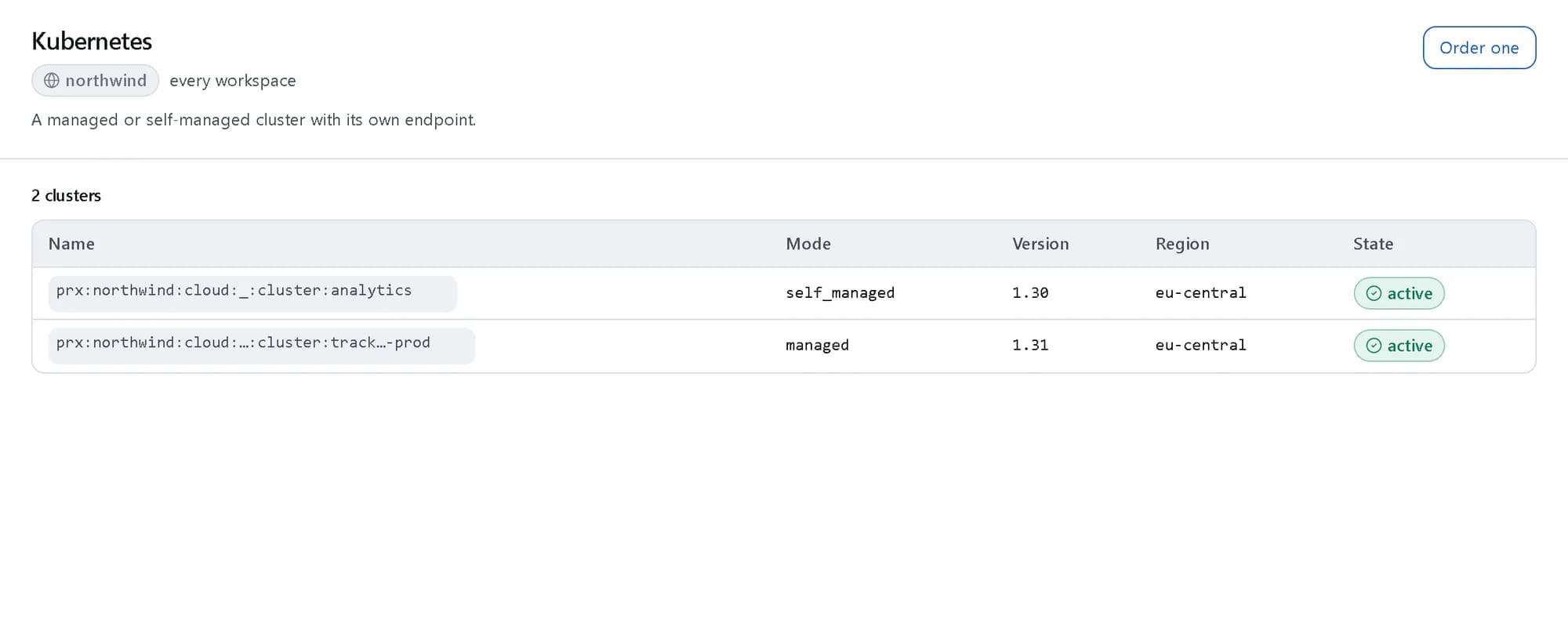
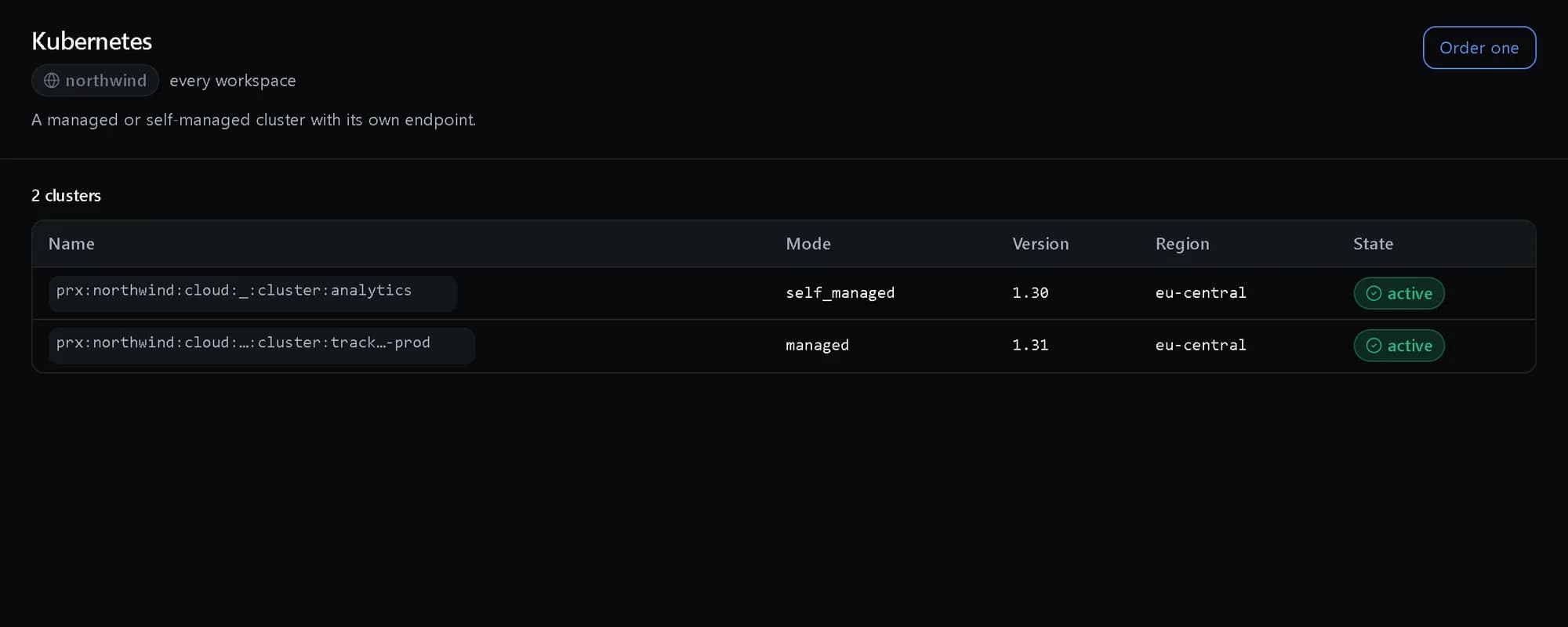
Every cluster in one list
Managed and self-managed clusters side by side, each with its version, region and state.
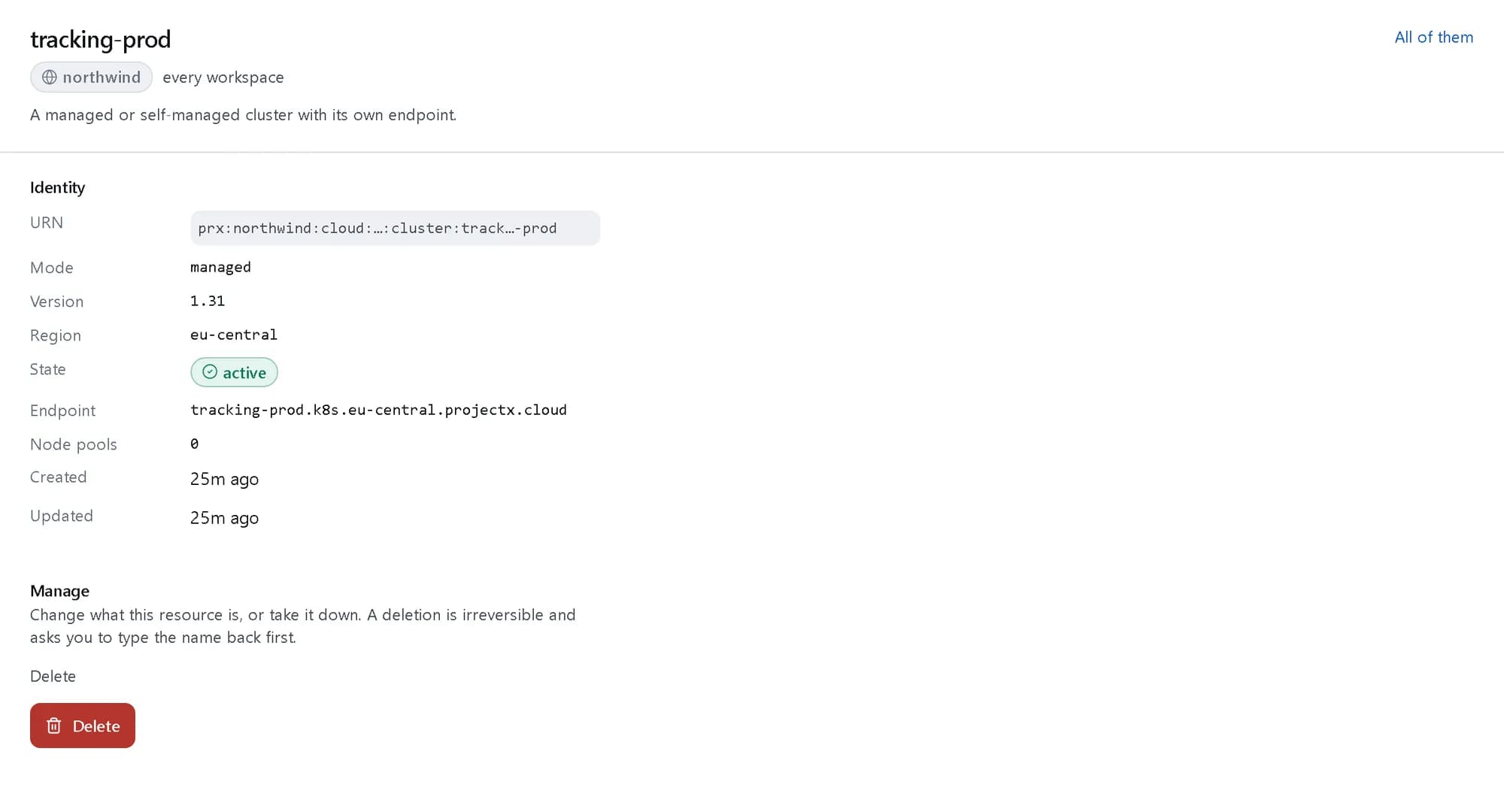
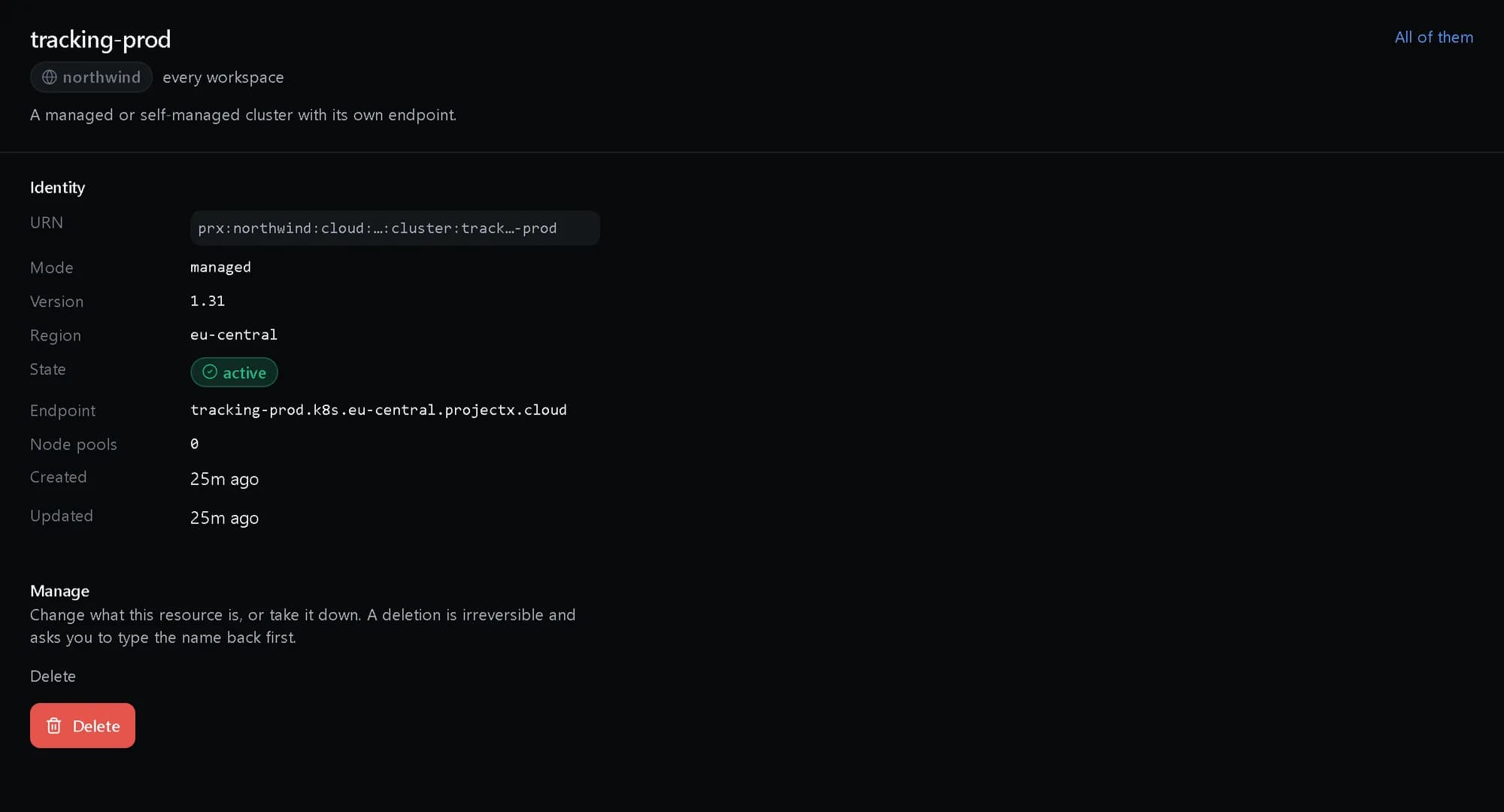
One cluster, its own endpoint
Open a cluster for its mode, its version and the API endpoint your kubeconfig points at.
How it fits together
What happens between your request and a running resource.
You create a cluster as one resource in a region. The platform runs its control plane on the upstream that serves the region, or on our own metal when self-managed, and node pools sit beneath it. kubectl reaches it with a short-lived kubeconfig minted from your identity.
- Console and API: create, upgrade, drain (You)
- kubectl, Helm: your usual tools (You)
- Cluster resource: control plane + pools (The platform)
- Identity: short-lived kubeconfig (The platform)
- Managed upstream: per region (Where it runs)
- Our own metal: self-managed (Where it runs)
- Console and API to Cluster resource: one resource
- kubectl, Helm to Identity: sign in
- Identity to Cluster resource: minted access
- Cluster resource to Managed upstream: managed
- Cluster resource to Our own metal: self-managed
Who it is for
The teams and situations this product was built for.
Product teams
You want to deploy services without owning control-plane toil.
Managed clusters on validated versions, with node pools you shape as workloads change.
Regulated platforms
You must prove who touched the cluster and when.
Identity-minted, principal-bound access with every action on the audit chain.
Cost-conscious teams
Managed Kubernetes elsewhere bills a premium you cannot justify.
Self-managed node pools on our own metal, operated through the same lifecycle.
What it does
The core capabilities, live in the product today.
Managed and self-managed clusters
Provision in a region with a validated version, managed on the upstream that serves it or self-managed on our substrate — the mode changes where the control plane runs, not the lifecycle you operate.
Managed hands the control plane to the upstream that serves the region. Self-managed runs it on our own metal for bare-metal economics. Both are the same resource with the same verbs, the same endpoint shape and the same audit record.
Node pools
Create, resize, autoscale, taint and drain, with the invariants enforced before the provider call: a pool draining is cordoned so work reschedules first.
Each pool carries its size, autoscaling bounds and taints. Resizing and draining are verbs on the pool, and the safe ordering you would otherwise keep in a runbook — cordon before drain — is enforced by the platform.
Version upgrades with rollback
One minor version forward at a time, the source version recorded so a rollback returns to exactly where it started rather than a guess.
Upgrades move a cluster one validated minor version at a time. Because the version you came from is recorded with the upgrade, a rollback is a return to a known state — not a reconstruction from memory.
Identity-minted access
A short-lived kubeconfig issued on demand from your identity, bound to the principal — no static token is stored on the cluster, so a leaked config stops working rather than granting standing access.
Ask for a kubeconfig and one is minted short-lived from your identity and bound to you. Nothing static is stored on the cluster, so the file a developer accidentally commits expires instead of opening a door.
The ideas behind it
The words this page uses, explained once.
- Managed and self-managed
- Managed hands the control plane to the upstream that serves the region. Self-managed runs it on our own metal. The cluster is the same resource either way, with the same verbs.
- Node pool
- A group of identical nodes with its own size, autoscaling bounds and taints. You resize, taint and drain a pool rather than individual machines.
- Identity-minted kubeconfig
- A kubeconfig issued on demand from your identity and bound to you, with a short life. Nothing static is stored on the cluster, so a leaked file expires on its own.
In depth
The detail an evaluation asks for.
Security model
Cluster access comes from your identity rather than a shared token, and every lifecycle call is a permission question answered by the platform’s one policy engine and written to the audit chain.
Upgrades and rollback
An upgrade moves one validated minor version at a time and records the version it came from, so a rollback returns to a known state. Pools drain in the safe order: cordon first, then evict.
Add-ons and visibility
Ingress, certificates, storage drivers, monitoring, mesh and GitOps come from an add-on catalogue, and a fleet view lists every cluster and what is running on it.
How it works
- Console
Create a cluster in a region
One resource carries the control plane and its node pools — managed, or self-managed on bare metal, per region.
- API
Shape your node pools
Create, resize, autoscale, taint and drain pools as your workloads change; draining cordons first so work reschedules.
- kubectl
Connect with your identity
A short-lived kubeconfig is minted on demand from your identity — no static tokens to leak or rotate.
- Console
Upgrade on your schedule
Move one minor version at a time, with the source recorded — a rollback returns to exactly where you started.
In code
The same task in the CLI and both SDKs. Every call shown exists in the API.
prx CLI
Create a cluster and get a short-lived credential for it
prx cloud cluster create --body '{"name":"tracking-prod","mode":"managed","version":"1.31","region":"eu-central"}'prx cloud cluster kubeconfig tracking-prodTypeScript SDK
Create a cluster and get a short-lived credential for it
await client.cloud.cluster.create({ name: 'tracking-prod', mode: 'managed', version: '1.31', region: 'eu-central' });const { endpoint, credential, expires_at } = await client.cloud.cluster.kubeconfig('tracking-prod');Python SDK
Create a cluster and get a short-lived credential for it
client.cloud.cluster.create({"name": "tracking-prod", "mode": "managed", "version": "1.31", "region": "eu-central"})access = client.cloud.cluster.kubeconfig("tracking-prod") # endpoint, credential, expires_atThe difference
The way this job usually goes, and the way it goes here.
The usual way
With ProjectX
A kubeconfig with a static token, copied around chat and valid forever.
A kubeconfig minted short-lived from your identity — leaked, it stops working.
An upgrade button and a prayer; rollback means restoring from memory.
One minor version at a time with the source recorded, so rollback returns to exactly where you started.
A drain script that evicts pods and hopes the order was right.
Cordoning is enforced before the drain, so work reschedules before nodes go.
Works with your tools
Every surface below drives the same product — script it, click it, or hand it to your existing tooling.
- kubectl
- Helm
- Console
- API
Questions, answered
Is the control plane managed?
Your choice per region. Managed runs on the upstream that serves the region; self-managed runs on our own metal. Both are the same resource with the same lifecycle.
How do I connect kubectl?
You mint a short-lived kubeconfig from your identity, bound to you. There is no static token stored on the cluster, so a leaked config expires instead of opening a door.
How do upgrades work?
One minor version at a time, with the source version recorded. A rollback returns to exactly that source rather than an approximation.
How is it billed?
By the node-hour at the published rate for the pool’s class and region, on the same monthly invoice as everything else. The rate card is on the pricing page.
Products it works with
Same platform, same console, same invoice.
Start with ProjectX today.
Create a company in minutes and add this product to your invoice at the published rate.