Identity & Access
One identity model for people, machines and agents.
Workforce, customer, machine and AI-agent identity in one directory, federated with the identity provider you already run and kept current from your HR system — and governed by the same policy engine that governs your tables, cameras and servers.
What it does
The core capabilities, live in the product today.
Phishing-resistant sign-in
Passkeys, FIDO2 security keys and push MFA with number matching, with SMS and email codes flagged as weak and restrictable by policy. People arrive by SCIM from your HR system and identity provider.
The roles that could hurt you most get passkeys and hardware keys, so the accounts that matter are the hardest to steal. The directory is fed by SCIM 2.0 and HR connectors rather than typed in, so there is no second list of people to keep in step by hand.
Single sign-on with what you already run
Sign in through Entra ID, Okta, Google Workspace, Ping, JumpCloud or any OIDC or SAML provider, or with an Active Directory or LDAP password. Each provider can be limited to your email domains.
Your identity provider stays the source of people: they sign in through it, arrive on first sign-in with the attributes you map, and nobody keeps a second password. The same realm is an OIDC and SAML provider for your own applications, with signed and, if you ask, encrypted assertions.
Passwords and codes done properly
Passwords checked against tens of thousands of breached ones, with history and no composition rules, authenticator-app codes with backup codes, and OAuth flows for apps, services and CLIs — PKCE, client credentials, device codes, refresh and revocation.
Where passwords remain, the ones attackers try first are refused at the moment someone picks them. Apps you build get standard OAuth 2.0: a public app proves itself with PKCE, a service with client credentials, a CLI with a device code, and a revoked token stops working at once.
One authorization decision point
Every permission question in every pillar goes to one engine. Write a rule once and it governs a table, a camera and a server identically — and there is no superuser flag, including for us.
A rule written once applies everywhere, so access policy stops being four configurations you hope agree. There is no superuser flag — including for us — and every answer, allow or deny, lands on the same append-only audit chain.
Lifecycle automation
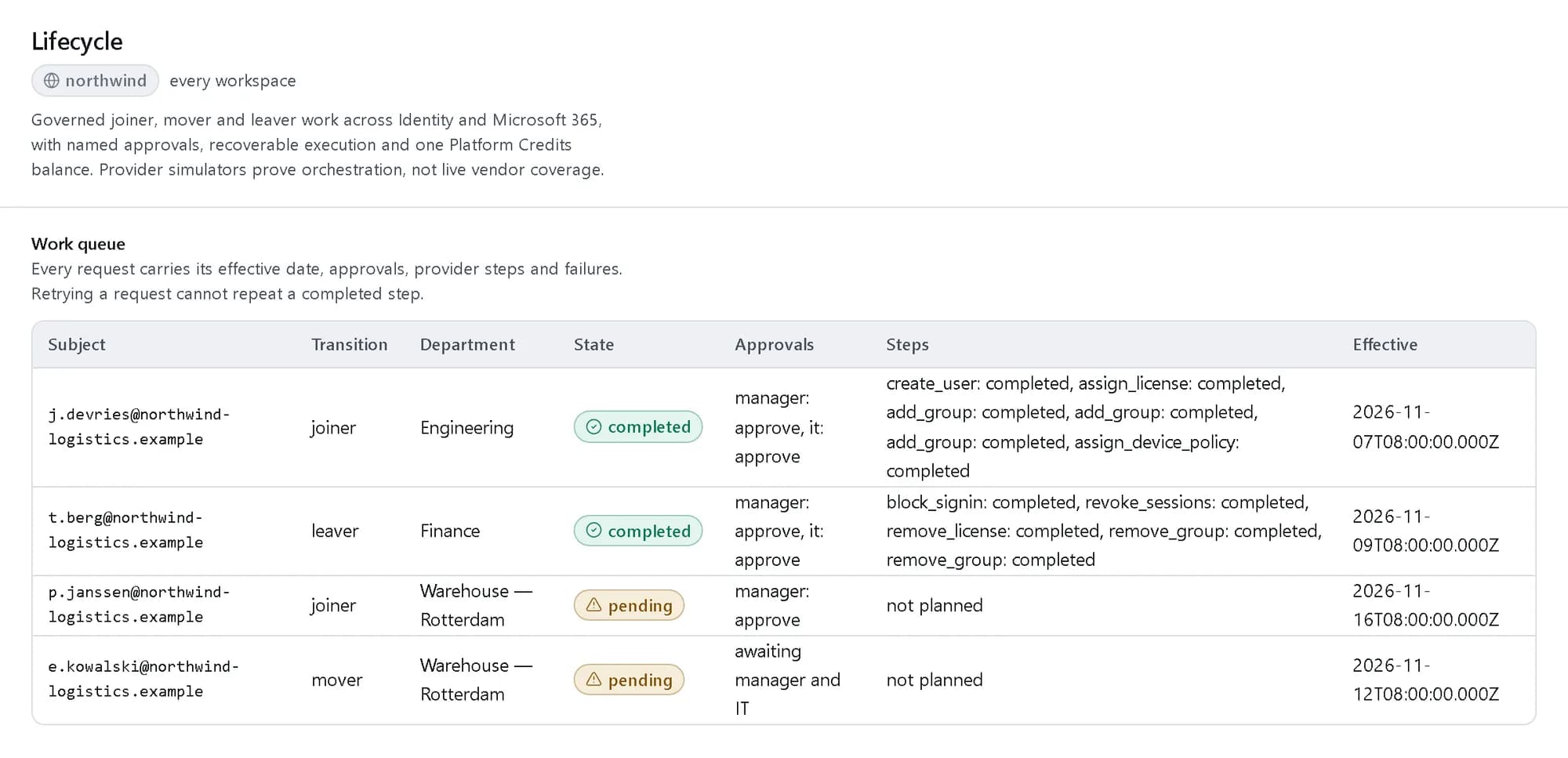
Joiners, movers and leavers driven from the directory. Offboarding produces one list across all five pillars, one approval, and a revocation certificate for your auditor.
Access follows the role rather than a ticket queue: a joiner’s profile decides what they get, a mover’s change is tracked with history, and a leaver’s revocation is one approval with the evidence attached.
Machine and agent identity
A service account and an AI agent are principals like anybody else — scoped, expiring, and audited under the same chain. Scopes narrow a key; they never widen the principal holding it.
Non-human access is governed with the same rigour as a person: scoped to a task, expiring on its own, and every use audited. A scope can only ever narrow what the principal behind it may do.
How it works
- Console
Sync the people you already manage
The directory fills from your HR system and identity provider over SCIM, so nobody types in a second list of people.
- Console
Write each rule once
One policy engine answers every permission question across identity, data, video and cloud — a rule written once applies everywhere.
- Audit trail
Let the lifecycle run
Joiners, movers and leavers flow from the directory: access is granted by role, removed on one approval, and evidenced for your auditor.
The products in this pillar
Each one with its own page, its own published prices, and the same invoice.
See it in the console
Real screens from the products in this pillar, shown with demo data.
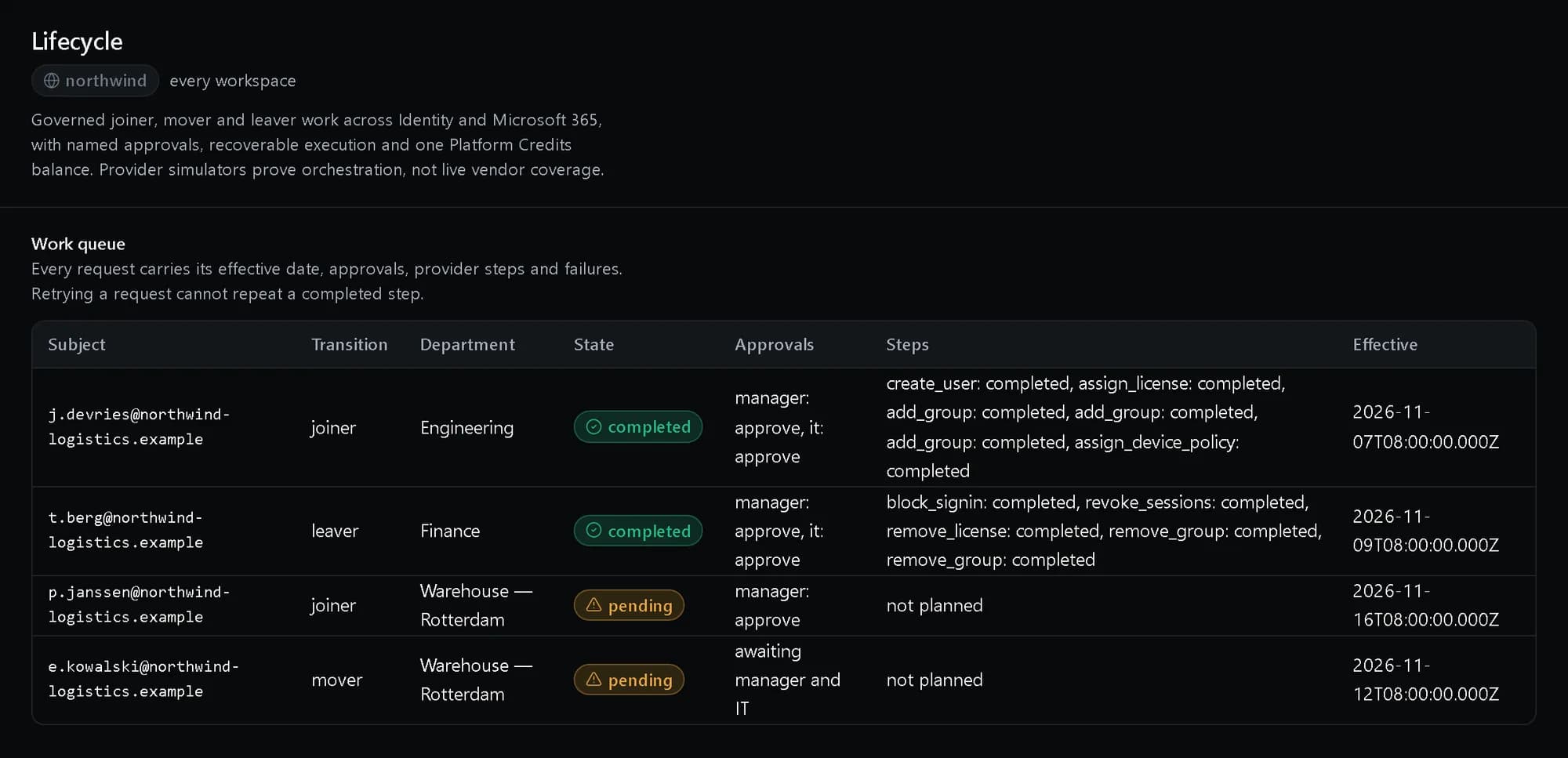
Lifecycle: One work queue
Every joiner, mover and leaver with its effective date, who approved it and each step it ran.
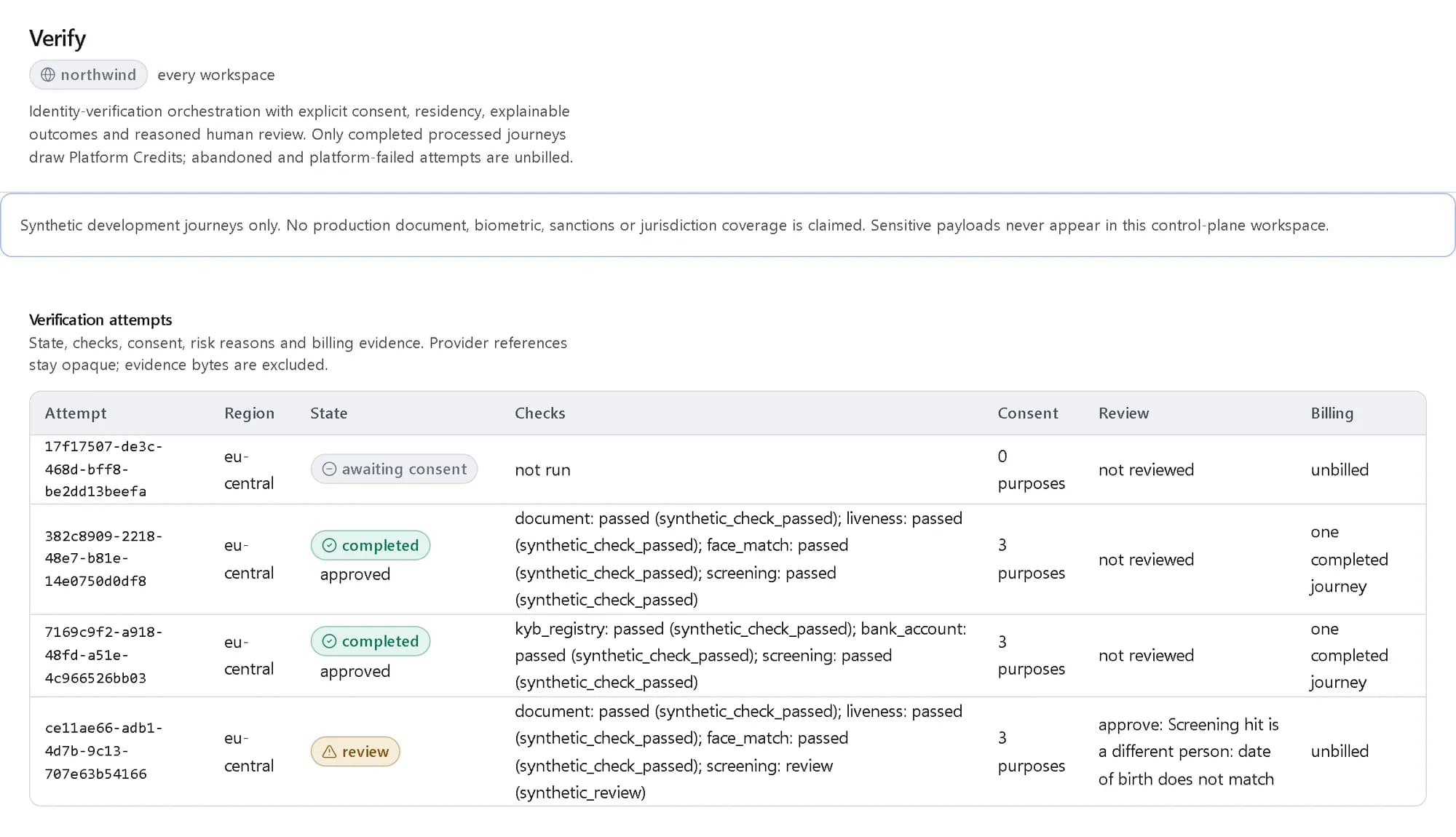
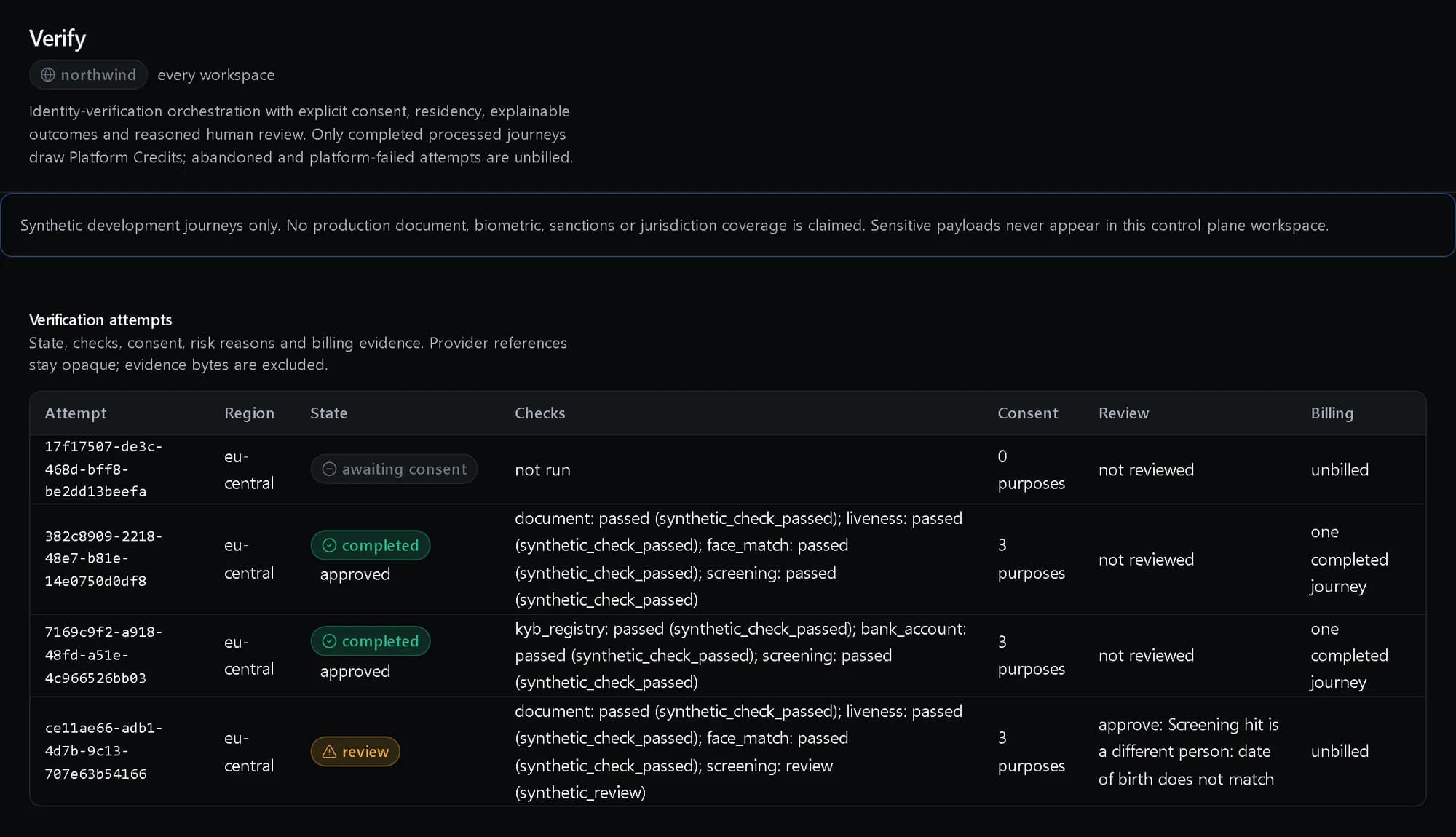
Verify: Every attempt and why
Each attempt with its checks and reasons, the consent it holds, the review decisions on it and whether it was billed.
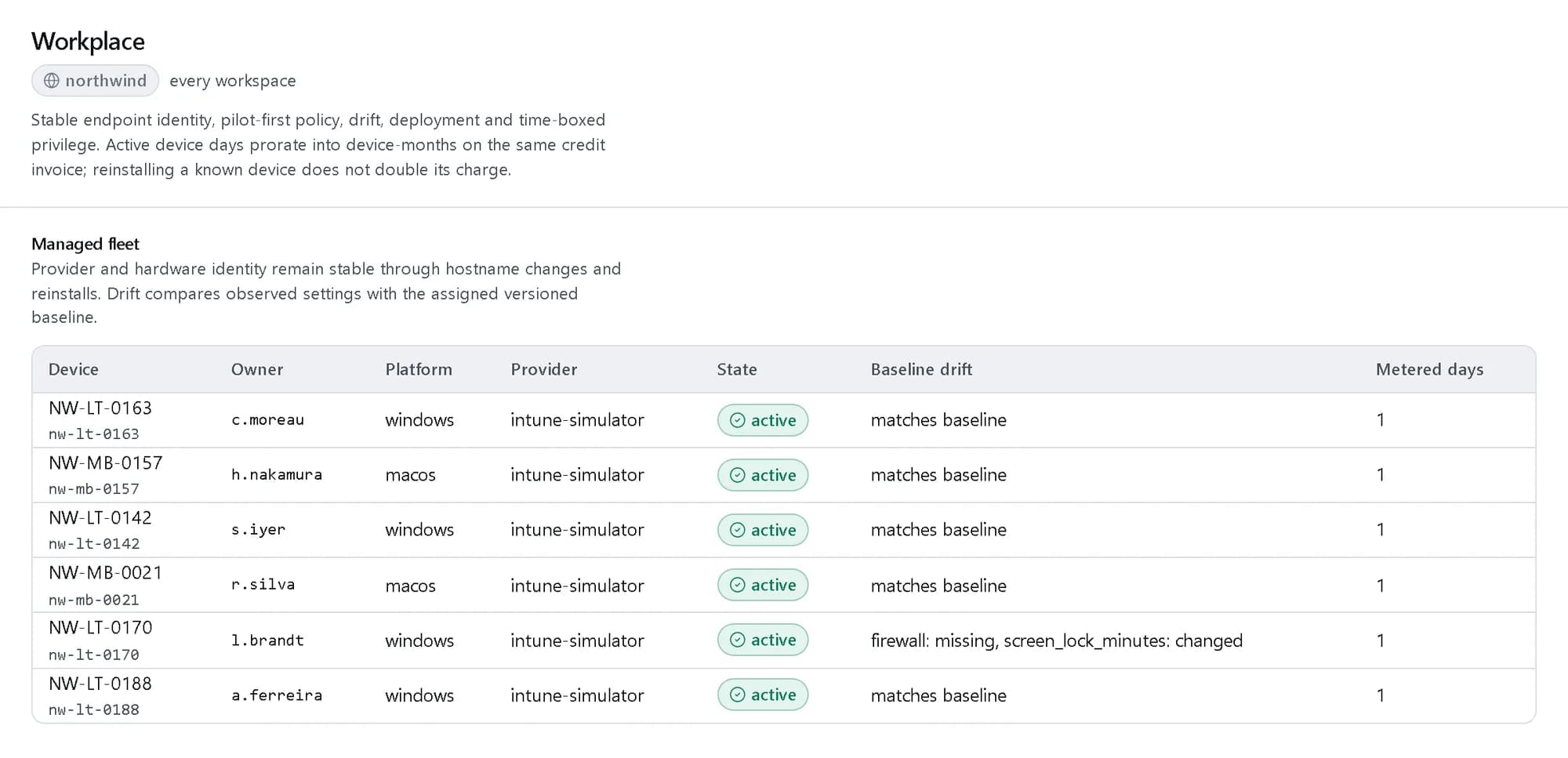
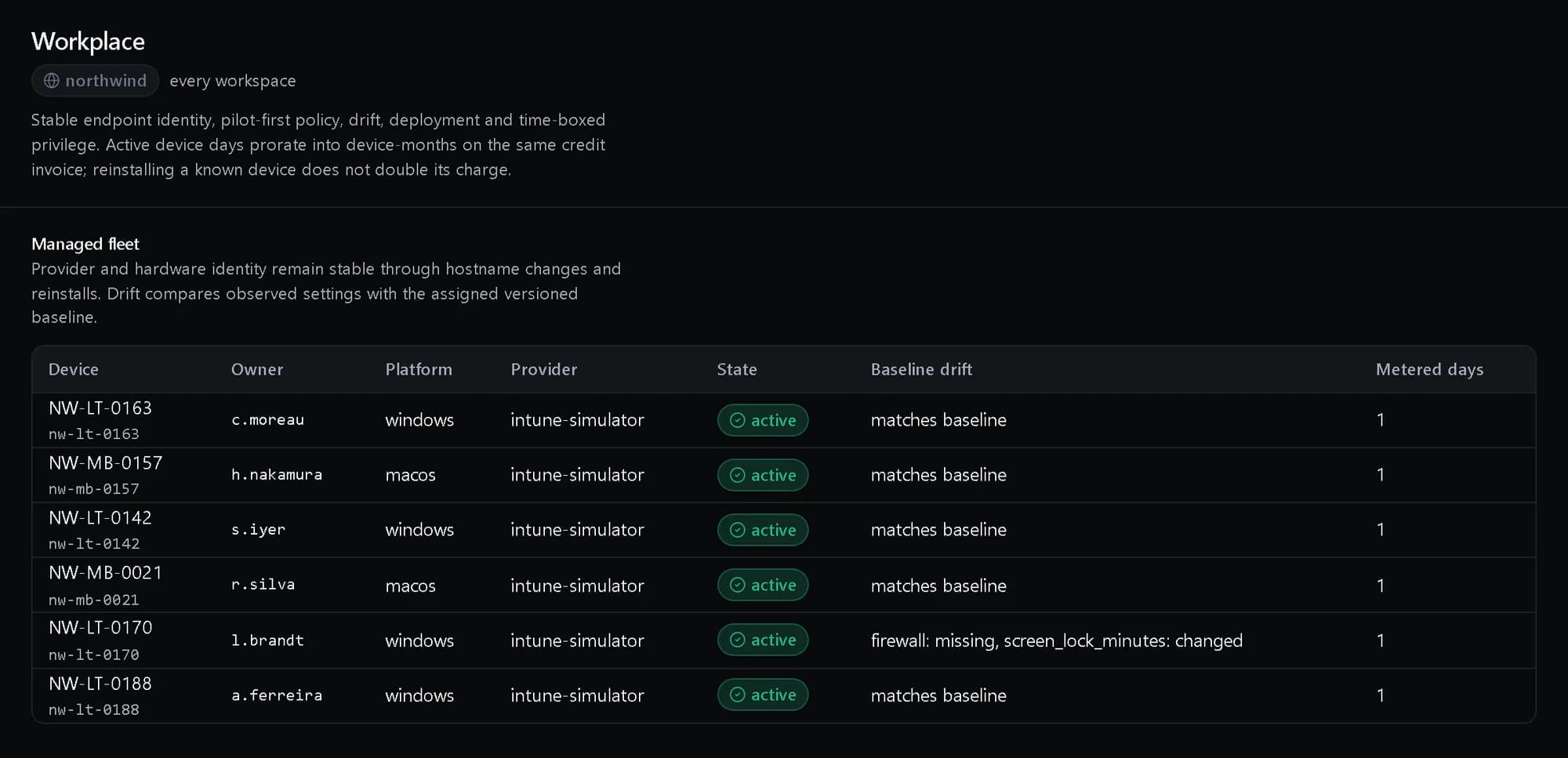
Workplace: The managed fleet
Every device with its owner and platform, and drift from its baseline named setting by setting.
Jobs it does
Use cases that run through this pillar, end to end.
Where the work happens
Admin console
The access review surface, the audit chain with its verification badge, and the catalog of everything the tenant owns.
Questions, answered
Do we have to re-enter our people by hand?
No. The directory syncs from your HR system and your existing identity provider over SCIM 2.0, on a schedule and by delta, so the people you already manage arrive and stay current.
Does it work with Entra ID, Okta or our Active Directory?
Yes. People sign in through Entra ID, Okta, Google Workspace, Ping, JumpCloud or any OIDC or SAML provider, or with their Active Directory or LDAP password, and you can limit each provider to your own email domains.
Can services and AI agents have identities too?
Yes — a service account or an agent is a principal like anybody else: scoped, expiring, and audited on the same chain as every person.
How do we prove an access decision later?
Every permission question in every pillar goes through one policy decision point, and every answer — allow or deny — is on the append-only audit chain.
What does it cost?
The identity products carry published usage rates on the pricing page, drawing from the same credit balance as everything else.
See it running.
Create a company and try it with your own data, or talk to us about your setup.