Workplace
Every device managed. Every rollout pilot-first. No standing admin.
Every managed device in one inventory, rollouts that go pilot-first, and temporary admin rights that expire on their own — device management with the controls your security team would ask for.
The advantages
The outcomes this product is built around.
One inventory, no twins
Re-enrolling or reinstalling a device reuses its existing record, so your fleet count is the truth — and you are never billed twice for the same machine.
Pilot first, always
New settings roll out to a pilot ring before the fleet, and any device drifting from the baseline is flagged — a bad change cannot take down a thousand machines at once.
No standing local admin
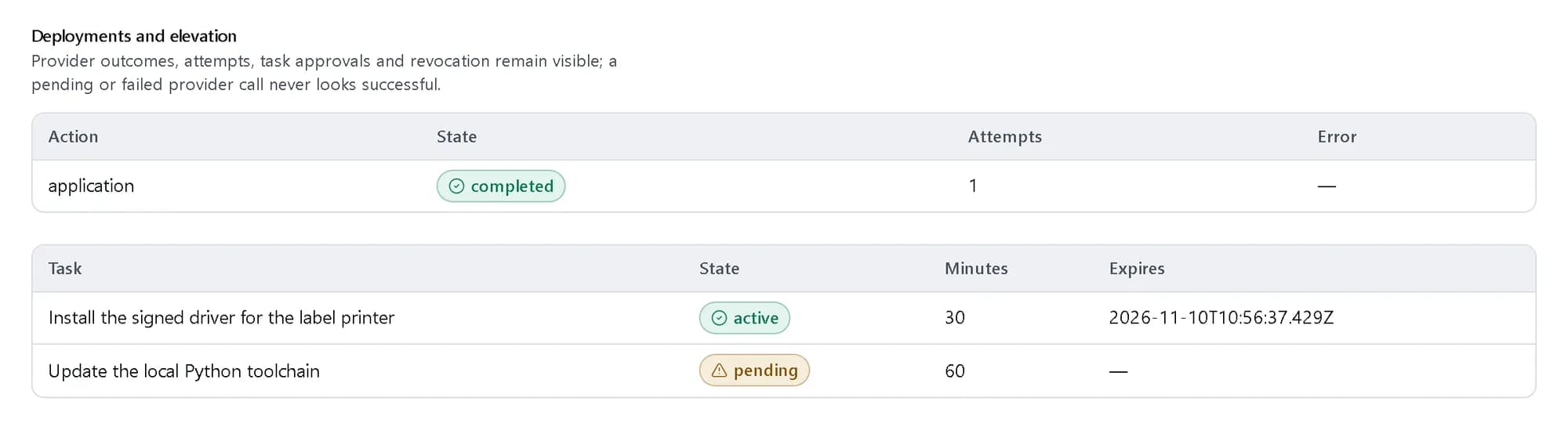
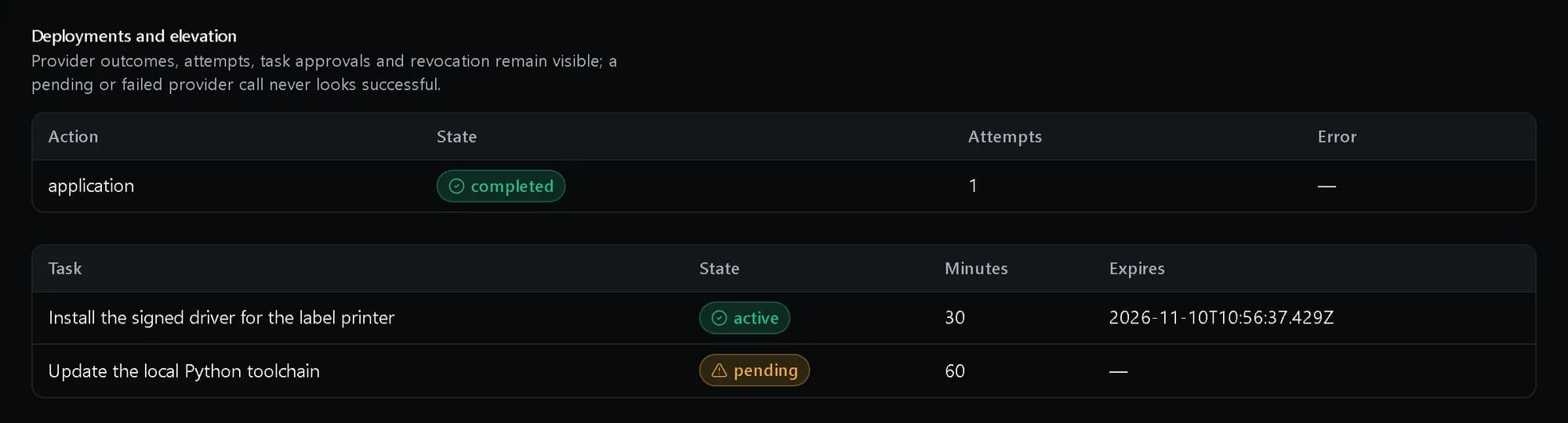
Temporary admin rights are granted per task, approved by a second person, and expire on their own. Privilege becomes an event with a record, not a permanent state.
Deployments that resume, not restart
An interrupted provisioning deployment picks up where it stopped — never starts over, never runs twice against the same device.
- minutes at most for one elevation, and it expires by itself
- 480
- record per device, however many times it is reinstalled
- 1
- devices at most in one migration wave, each with its own outcome
- 200
See it in the console
Real screens from the product, not mock-ups.
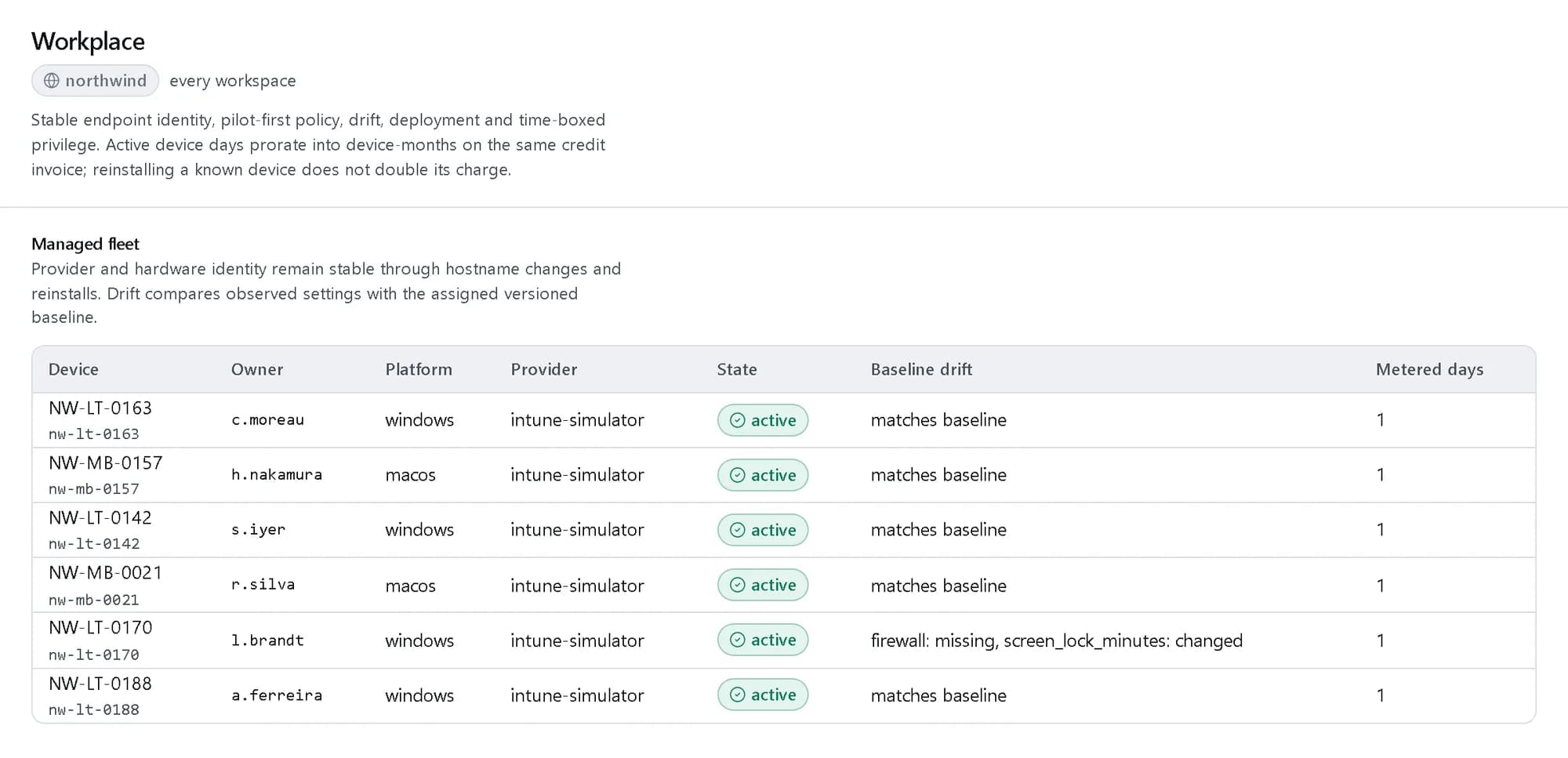
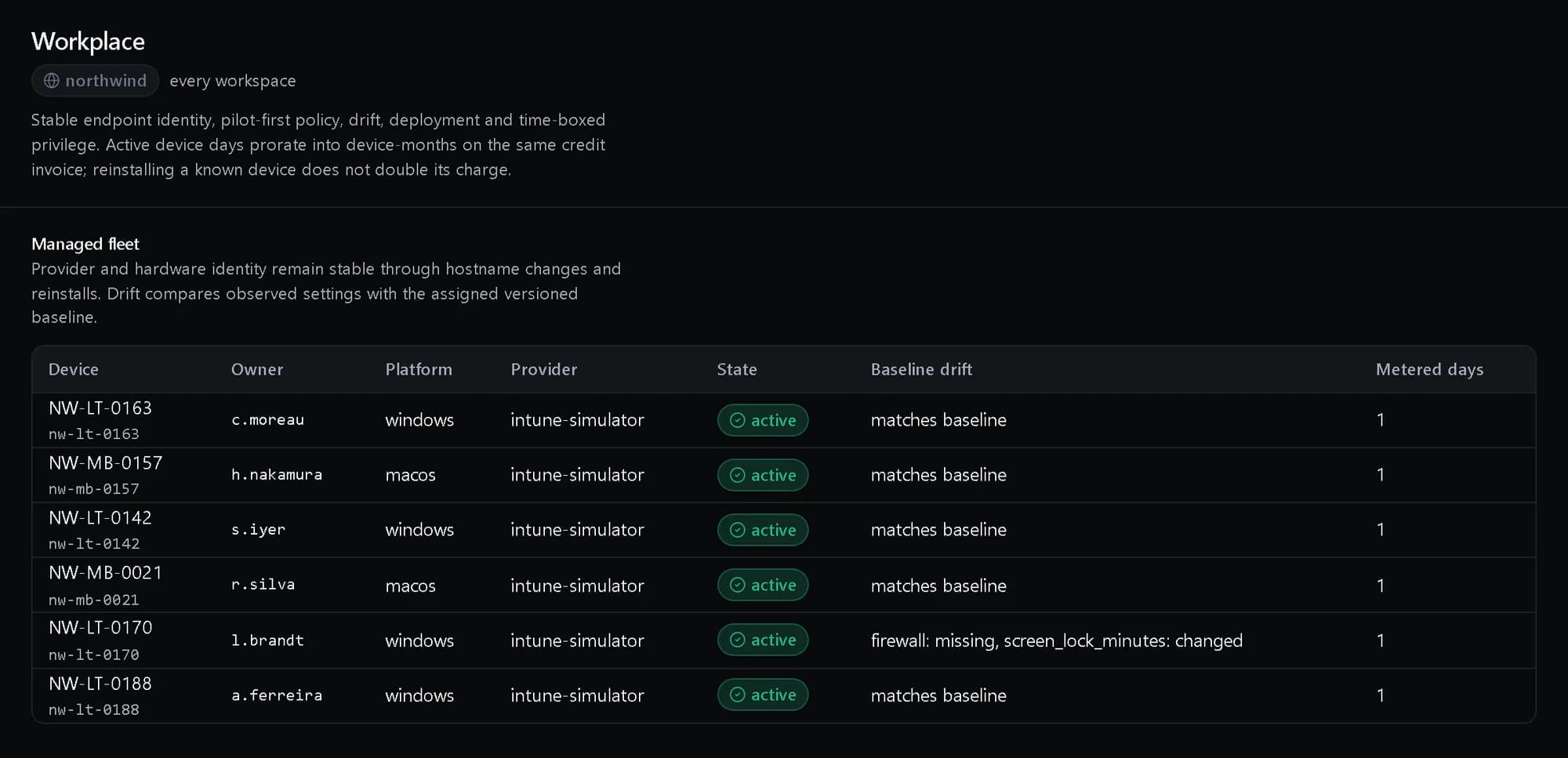
The managed fleet
Every device with its owner and platform, and drift from its baseline named setting by setting.
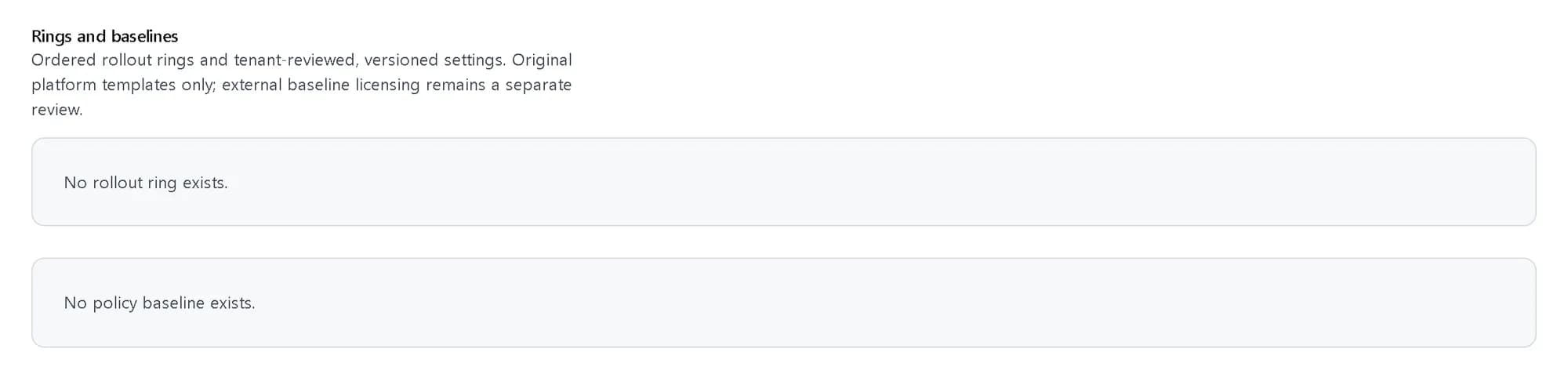
Rings and baselines
Ordered rollout rings, pilot first, and the versioned settings each device is held to.
Elevation with an expiry
Admin rights for one task, approved by a named person, with the time they run out.
How it fits together
What happens between your request and a running resource.
A baseline is published as a version and assigned to a device through a ring, pilot first. The platform deploys through the device-management system and compares what the device reports with what the baseline asks for.
- Baseline: versioned settings (You)
- Rollout ring: pilot first (You)
- Deployment: resumes, never repeats (The platform)
- Drift: observed vs desired (The platform)
- Device management: enrol · apply · report (Devices)
- Baseline to Rollout ring: assigned
- Rollout ring to Deployment
- Deployment to Device management
- Device management to Drift: reported
Who it is for
The teams and situations this product was built for.
IT teams enrolling a fleet
Hundreds of laptops need provisioning, and reimaging cannot create chaos.
One stable inventory where re-enrolment reuses the record, and deployments resume after interruption.
Security teams
Standing local admin is the finding in every audit.
Time-boxed, second-person-approved elevation that expires on its own — with a record per grant.
Regulated organisations
You must prove every device meets the baseline.
Baseline drift flagged per device, pilot rings for every change, and the whole history auditable.
What it does
The core capabilities, live in the product today.
Stable managed-device inventory
Re-enrolling or reinstalling a device reuses its existing record — no duplicate fleet entries, and no second daily charge for the same machine.
Reimage a laptop and it comes back as itself: the enrolment reuses the existing record, so the fleet count stays the truth and the same machine is never billed twice.
Rollout rings and baseline drift
New settings roll out to a pilot ring first, and any device that drifts from the baseline is flagged before a broad rollout.
Every change goes to a pilot ring before the fleet, and devices drifting from the baseline are flagged as they drift. A bad setting surfaces on ten machines, not a thousand.
Replay-safe provisioning deployments
An interrupted deployment resumes where it stopped instead of starting over or running twice.
A laptop that loses power halfway through provisioning resumes where it stopped when it comes back. The deployment never starts over and never runs a step twice against the same device.
Time-boxed privilege elevation
Temporary admin rights are granted per task, approved by a second person, expire automatically and can be revoked at any moment — no standing local admin.
A user requests elevation for a task, a second person approves it, and the rights expire on their own. Anything granted can be revoked at any moment, and every grant leaves a record.
The ideas behind it
The words this page uses, explained once.
- Rollout ring
- An ordered group of devices a change reaches in turn. A device joins a broader ring only after the pilot.
- Baseline drift
- The difference between the settings a baseline asks for and what the device last reported. A setting the device does not report counts as drift.
- Local administrator password rotation
- Each device’s local admin password is rotated through the device-management system. The record keeps a digest, and revealing the password is a named, one-time act.
In depth
The detail an evaluation asks for.
Applications with a way back
A package is published once per name and version with its SHA-256 digest and a named rollback target. A retired package cannot be deployed again.
Remediation from drift
Remediation answers the drift a device actually has. Asking to remediate a device that matches its baseline is refused rather than run for nothing.
Moving a fleet
A migration wave freezes its device list after checking the inventory, records each device’s outcome, reports a partial result honestly, and can be rolled back. A service-desk case can follow the wave.
Assistance inside a fence
Assistive operations may only use allow-listed actions on at most 50 devices. A proposal is described step by step before anything runs, someone other than the proposer approves it, and a kill switch ends every open run.
How it works
- Console
Enrol your devices
Every managed device lands in one stable inventory — re-enrolment reuses its record instead of creating a twin.
- Console
Roll out in rings
New settings go to a pilot ring first, and drift from the baseline is flagged before a broad rollout.
- Console
Elevate for a task, never standing
Temporary admin rights are approved by a second person, time-boxed and expire on their own.
- Audit trail
Prove the baseline
Drift is flagged per device and the whole history stays auditable, so the evidence is already there when the auditor asks.
In code
The same task in the CLI and both SDKs. Every call shown exists in the API.
prx CLI
Request admin rights for one task, approve them and check the device
prx identity workplace create-elevations --body '{"device":"prx:northwind:iam:_:managed_device:87642a20-2341-4ee5-867f-794cfd1772eb","approver":"k.mensah","task":"Install the signed driver for the label printer","requested_minutes":30}'prx identity workplace decide-elevations "$ELEVATION" --body '{"approver":"k.mensah","decision":"approve"}'prx identity workplace drift "$DEVICE"TypeScript SDK
Request admin rights for one task, approve them and check the device
const elevation = await client.identity.workplace.createElevations({ device: laptop.urn, approver: 'k.mensah', task: 'Install the signed driver for the label printer', requested_minutes: 30 });const { expiresAt } = await client.identity.workplace.decideElevations(elevation.urn.split(':').pop(), { approver: 'k.mensah', decision: 'approve' });const { drift } = await client.identity.workplace.drift(laptop.urn.split(':').pop());Python SDK
Request admin rights for one task, approve them and check the device
elevation = client.identity.workplace.create_elevations({"device": laptop["urn"], "approver": "k.mensah", "task": "Install the signed driver for the label printer", "requested_minutes": 30})granted = client.identity.workplace.decide_elevations(elevation["urn"].split(":")[-1], {"approver": "k.mensah", "decision": "approve"})drift = client.identity.workplace.drift(laptop["urn"].split(":")[-1])["drift"]The difference
The way this job usually goes, and the way it goes here.
The usual way
With ProjectX
Reimage a laptop, gain a duplicate inventory record and a second licence charge.
Re-enrolment reuses the device record — no twins, no double billing.
A settings change ships to every machine at once and the fleet finds the bug.
Every change goes to a pilot ring first, with baseline drift flagged before a broad rollout.
Local admin rights, granted once, forgotten forever.
Elevation per task, approved by a second person, expiring on its own — with a record per grant.
Works with your tools
Every surface below drives the same product — script it, click it, or hand it to your existing tooling.
- Console
- API
- Audit trail
Questions, answered
What happens when a device is reimaged?
Re-enrolment reuses the device’s existing record — no duplicate entry in the fleet, and no second daily charge for the same machine.
How do rollouts work?
Every new setting goes to a pilot ring first. Devices drifting from the baseline are flagged before you roll broadly, so a bad change surfaces on ten machines, not a thousand.
How does privilege elevation work?
A user requests elevation for a task, a second person approves it, and the rights expire automatically. Anything granted can be revoked at any moment, and every grant is recorded.
How is it priced?
A published per-device daily rate in Platform Credits, on the same invoice as the rest of the platform. The rates are on the pricing page.
Products it works with
Same platform, same console, same invoice.
Start with ProjectX today.
Create a company in minutes and add this product to your invoice at the published rate.