Servers
Virtual and dedicated servers from one catalog.
Launch a VPS in minutes or order dedicated hardware, both through the same lifecycle and the same API. Choose an image, template the first boot, and get the whole order-to-running record audited — on capacity we run and partner capacity we contract.
The advantages
The outcomes this product is built around.
Virtual or dedicated, one way of working
A VPS in minutes or single-tenant hardware — the same lifecycle verbs, the same API and the same audit record either way, so your tooling never forks.
The state you see is the state that runs
The platform reconciles its record against what the provider is actually running, so drift surfaces on your dashboard instead of hiding until an incident.
No secrets baked into images
First-boot configuration uses a fixed, allow-listed templating syntax, so a golden image stays clean and reusable across every server you launch.
Your images stay yours
Custom and golden images are placed per tenant, per region — an image you build is never visible to another customer.
- order to running, at the 95th percentile
- < 90 s
- from sign-up to a running server, with no person involved
- < 5 min
- API, audit record and invoice for virtual and dedicated alike
- 1
See it in the console
Real screens from the product, not mock-ups.
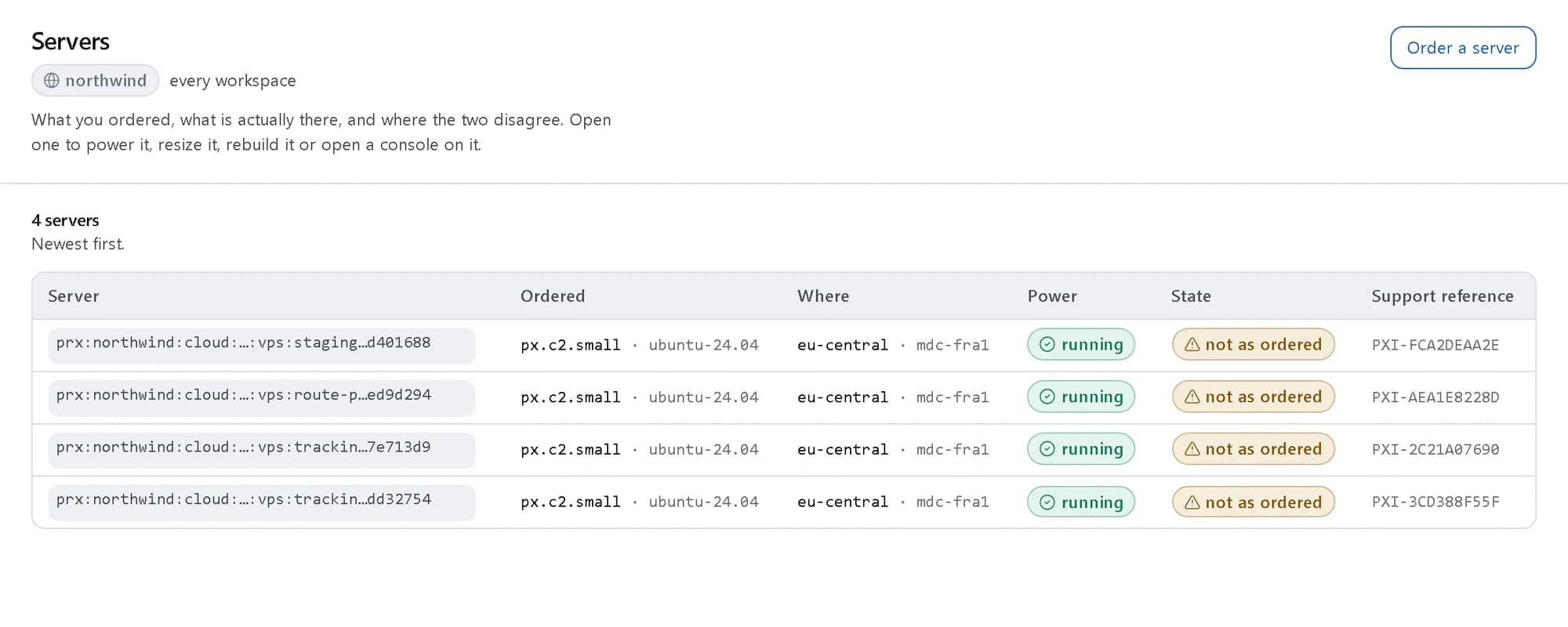
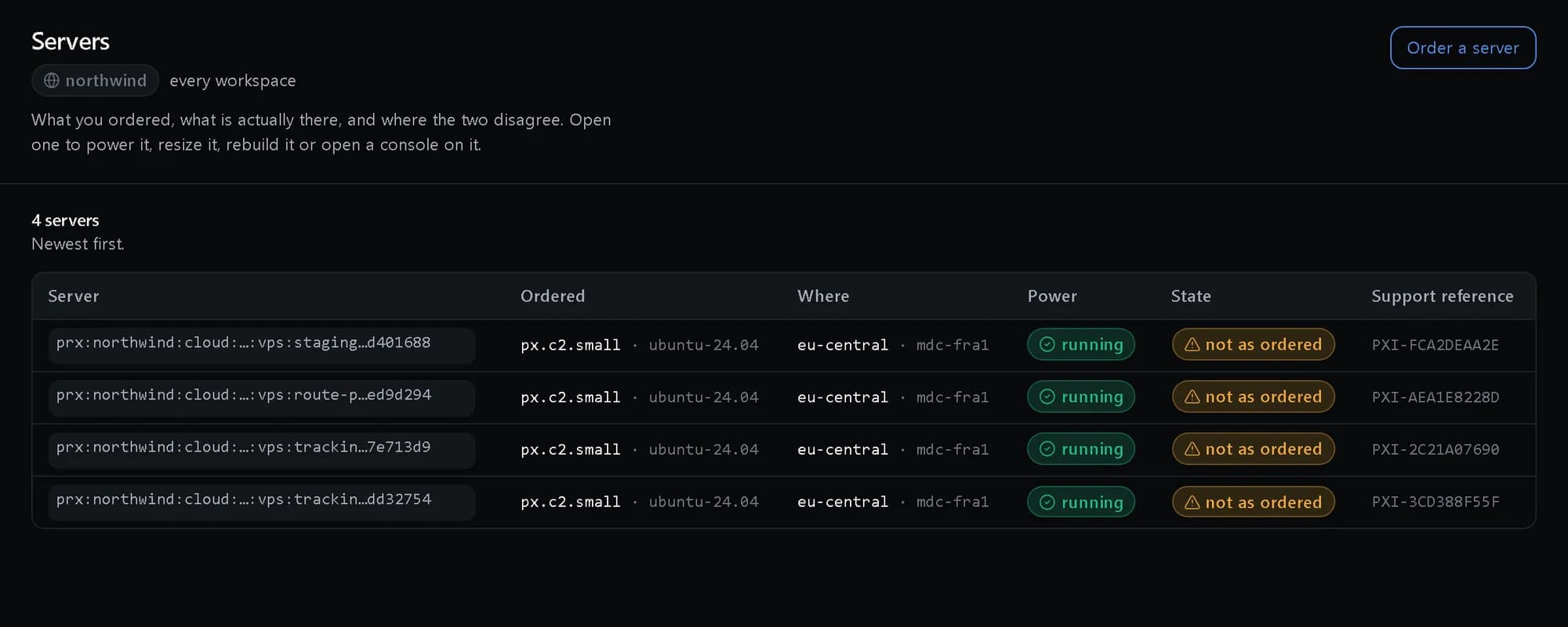
Every server in one list
Virtual and dedicated, with the power and state the platform last observed — not just what was ordered.
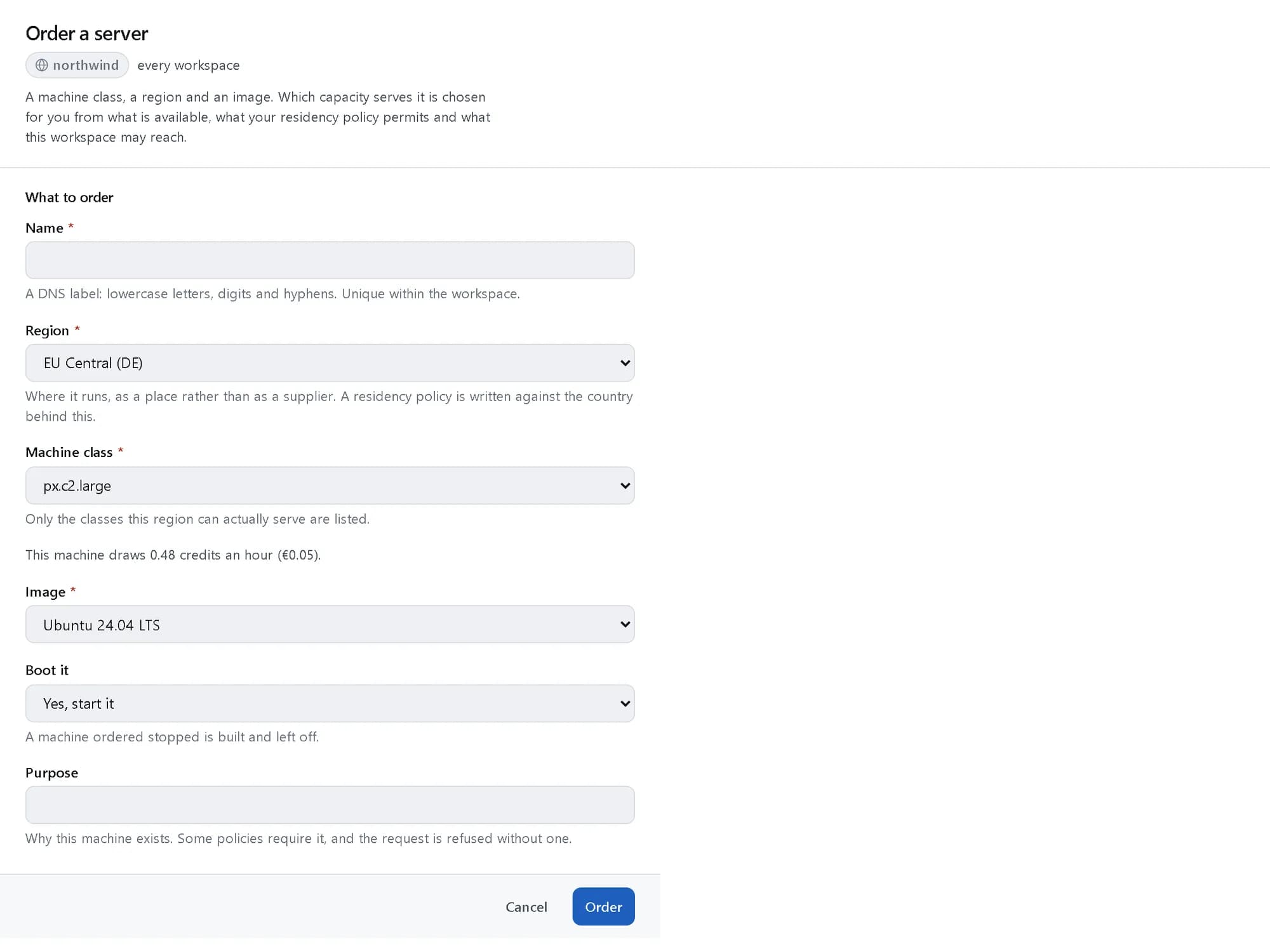
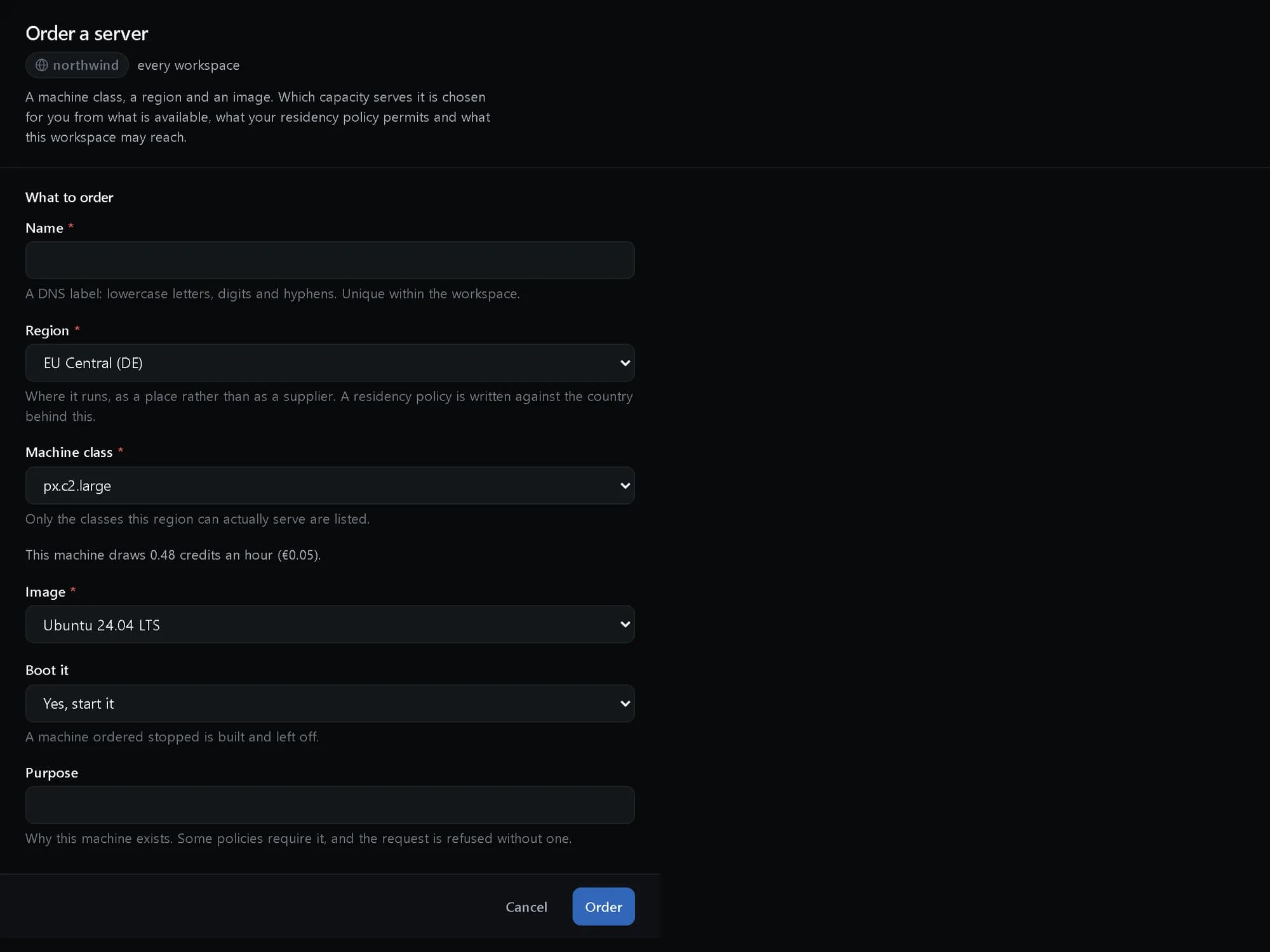
The price before you order
Pick a class and a region and see the hourly and monthly rate before anything is provisioned.
One server, its whole lifecycle
Open a server to see what you asked for, what is actually running, and every action you can take on it.
How it fits together
What happens between your request and a running resource.
You order a server in the platform’s own vocabulary from the console, the API, the SDKs or the CLI. The platform checks the order against policy, places it on a substrate that satisfies your residency rules, and keeps reconciling what it recorded against what is actually running, with every step on the audit chain.
- Console: order, power, resize (You)
- API, SDKs, prx CLI: the same verbs (You)
- Policy check: who may, where it may run (The platform)
- Server lifecycle: create · resize · rebuild (The platform)
- Reconciler: recorded vs running (The platform)
- Our data centres: virtual and dedicated (Where it runs)
- Partner capacity: one catalog (Where it runs)
- Console to Policy check: order
- API, SDKs, prx CLI to Policy check
- Policy check to Server lifecycle: allowed
- Server lifecycle to Our data centres: placed
- Server lifecycle to Partner capacity
- Reconciler to Our data centres: observed
Who it is for
The teams and situations this product was built for.
SaaS teams
You ship an application and need predictable compute you can script end to end.
Servers you create, resize, rebuild and destroy from one API, with every action audited.
Agencies and hosters
You run many small sites and services and want one bill across all of them.
Per-hour classes at published rates, every server on the same monthly invoice.
Platform engineers
You need single-tenant hardware for licensing, isolation or performance.
Dedicated servers ordered, provisioned and reinstalled through the same resource model as a VPS.
What it does
The core capabilities, live in the product today.
Full VPS lifecycle
Create, resize, start, stop, reboot, rebuild and destroy, each a single call with the state the platform holds reconciled against what the provider is actually running.
Every verb works the same from the console, the API, the SDKs and the CLI. Resize keeps the disk, rebuild starts from a fresh image while the server’s record and history stay put, and the reconciler keeps the record honest against the provider.
Dedicated servers
Order, provision, reinstall and decommission single-tenant hardware through the same resource model as a VPS, with the places the two genuinely differ — a machine that cannot be held stopped — surfaced rather than hidden.
Order from the published catalog and follow the provisioning run step by step in the console. Reinstall when you need a clean machine, decommission when you are done — same verbs, same audit record as everything virtual.
Image catalog
Marketplace, custom and golden images, placed per tenant so an image built in one region is yours and not the whole platform’s.
Start from a marketplace image, register your own, or promote a tested build to a golden image the whole team launches from. Placement is per tenant and per region, so your images never leak into another customer’s catalog.
cloud-init templating
A fixed, allow-listed templating syntax for first-boot configuration, so a server comes up configured without a secret being baked into an image.
Hostname, users, packages and files are filled at first boot from a template whose syntax is fixed and allow-listed. The golden image stays generic and reusable, and there is no credential sitting inside it to forget about.
The ideas behind it
The words this page uses, explained once.
- Machine class
- A size in the platform’s own vocabulary, such as px.c2.small. You order the class and the region; which capacity serves it is the platform’s decision, so your scripts never name a provider. Read more: Machine class
- Desired and observed state
- What you ordered and what is actually running are recorded separately. The reconciler compares them continuously, and a difference shows on the server rather than staying hidden.
- Golden image
- A tested image your team promotes and launches from. It stays generic, because per-server settings arrive at first boot from a template rather than being baked in.
- Substrate
- Where a server physically runs: our data centres, contracted partner capacity, or hardware you own and register yourself. Residency rules decide which substrates an order may use. Read more: Substrate
In depth
The detail an evaluation asks for.
Security model
Every lifecycle call is a permission question answered by the platform’s one policy engine, and every answer — allowed or refused — is written to the append-only audit chain. On hardware you own, the platform holds no standing access.
Placement and residency
An order names a class and a region. Residency obligations filter the possible capacity before one is chosen, so a placement your policy forbids is never made — rather than made and flagged afterwards.
Operations
Power, resize, rebuild, rescue, snapshot and clone are verbs on the server, each one call from the console, the API, the SDKs or the CLI. Start and stop schedules keep development machines from billing overnight.
How it works
- Console
Pick a size and a region
Choose a compute class and where it runs — the price is on the page before you order.
- cloud-init
Configure the first boot
Add an image and a first-boot template; the server comes up configured, with no secrets baked in.
- API
Launch with one call
The console, the SDKs and the CLI all issue the same create — the server is typically running within minutes.
- prx CLI
Operate the whole lifecycle
Start, stop, resize, rebuild and destroy from one console or one API call, each action audited.
In code
The same task in the CLI and both SDKs. Every call shown exists in the API.
prx CLI
Order a server and wait until it is running
prx cloud vps create --body '{"name":"tracking-api-1","spec":{"sku":"px.c2.small","region":"eu-central","image":"ubuntu-24.04"}}' --waitprx cloud vps list --jsonlTypeScript SDK
Order a server and wait until it is running
const order = await client.cloud.vps.create({ name: 'tracking-api-1', spec: { sku: 'px.c2.small', region: 'eu-central', image: 'ubuntu-24.04' } });await client.waitForOperation(order.operation);const fleet = await client.cloud.vps.list();Python SDK
Order a server and wait until it is running
order = client.cloud.vps.create({"name": "tracking-api-1", "spec": {"sku": "px.c2.small", "region": "eu-central", "image": "ubuntu-24.04"}})client.wait_for_operation(order["operation"])fleet = client.cloud.vps.list()The difference
The way this job usually goes, and the way it goes here.
The usual way
With ProjectX
A VM panel at one provider, bare metal at another, and a spreadsheet keeping the two in step.
Virtual and dedicated servers in one catalog — one lifecycle, one API, one audit record.
Secrets baked into a golden image, because first-boot configuration has nowhere safe to live.
A fixed, allow-listed first-boot template, so the image stays clean and reusable.
The console says running; the hypervisor says otherwise — found during the incident.
The record is reconciled against what the provider is actually running, so drift shows on your dashboard.
Works with your tools
Every surface below drives the same product — script it, click it, or hand it to your existing tooling.
- Console
- API
- TypeScript SDK
- Python SDK
- prx CLI
- cloud-init
Questions, answered
How quickly can I get a server?
A VPS is created with one call and is typically running within minutes. Dedicated hardware goes through a provisioning run you can follow step by step in the console.
Which operating systems can I run?
The image catalog carries marketplace images, and you can register your own custom and golden images per tenant, placed in the region you choose.
Can I automate everything?
Yes. Every lifecycle verb is an API call, and the TypeScript SDK, the Python SDK and the prx CLI cover the same surface as the console.
How is it billed?
By the hour at the published rate for the class and region, rolled into one monthly invoice with everything else you use. The full rate card is on the pricing page.
Products it works with
Same platform, same console, same invoice.
Start with ProjectX today.
Create a company in minutes and add this product to your invoice at the published rate.