Object storage
S3-compatible buckets behind one endpoint.
Buckets with versioning and lifecycle rules, reached through a unified S3 endpoint that names no provider. Access is a key scoped to one of your principals, and a presigned URL is exactly as powerful as the key that signed it.
The advantages
The outcomes this product is built around.
Your tools already speak it
One S3-compatible endpoint means your existing SDKs, CLIs and backup tools work without a provider-specific integration.
A key can never exceed its owner
Access keys are scoped to your own principals, so a key does exactly what its owner may do — and nothing more, ever.
Sharing without handing out keys
Presigned URLs give time-limited upload or download and inherit exactly the grant of the signing key — a read-only key cannot presign a write.
Your bucket names cannot be probed
Another tenant’s bucket answers the same 404 as one that does not exist, so nobody can enumerate what you store.
- S3-compatible endpoint per bucket, whoever holds the bytes
- 1
- for another tenant’s bucket — the same answer as one that does not exist
- 404
- keys that can do more than the principal that owns them
- 0
See it in the console
Real screens from the product, not mock-ups.
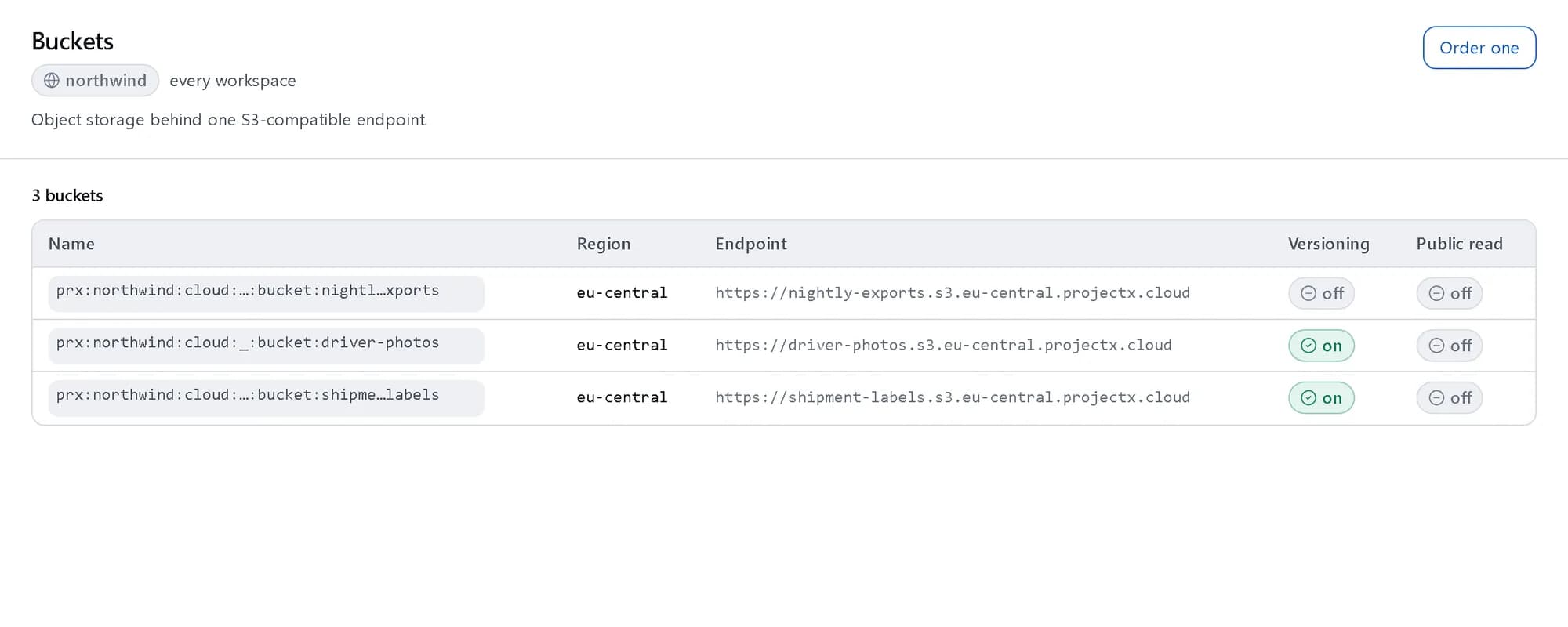
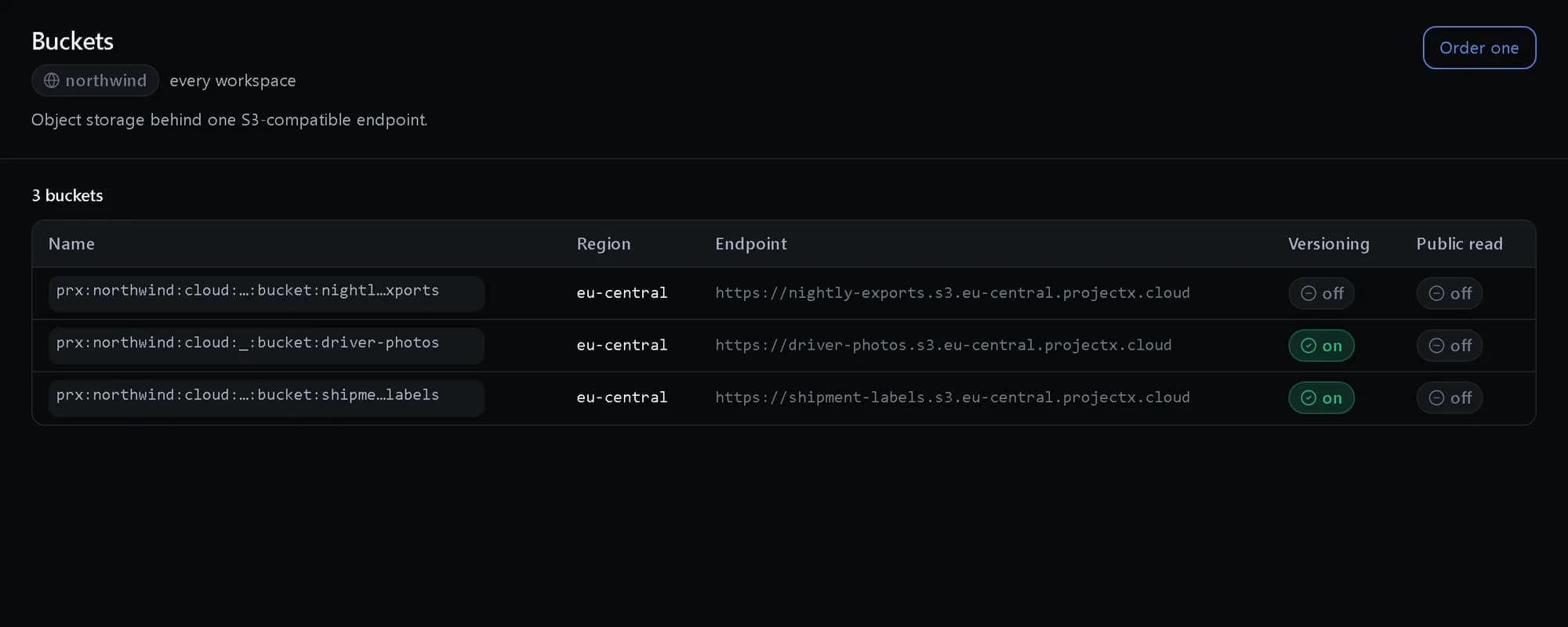
Every bucket, one endpoint
Each bucket with its region, its S3 endpoint and whether versioning is on.
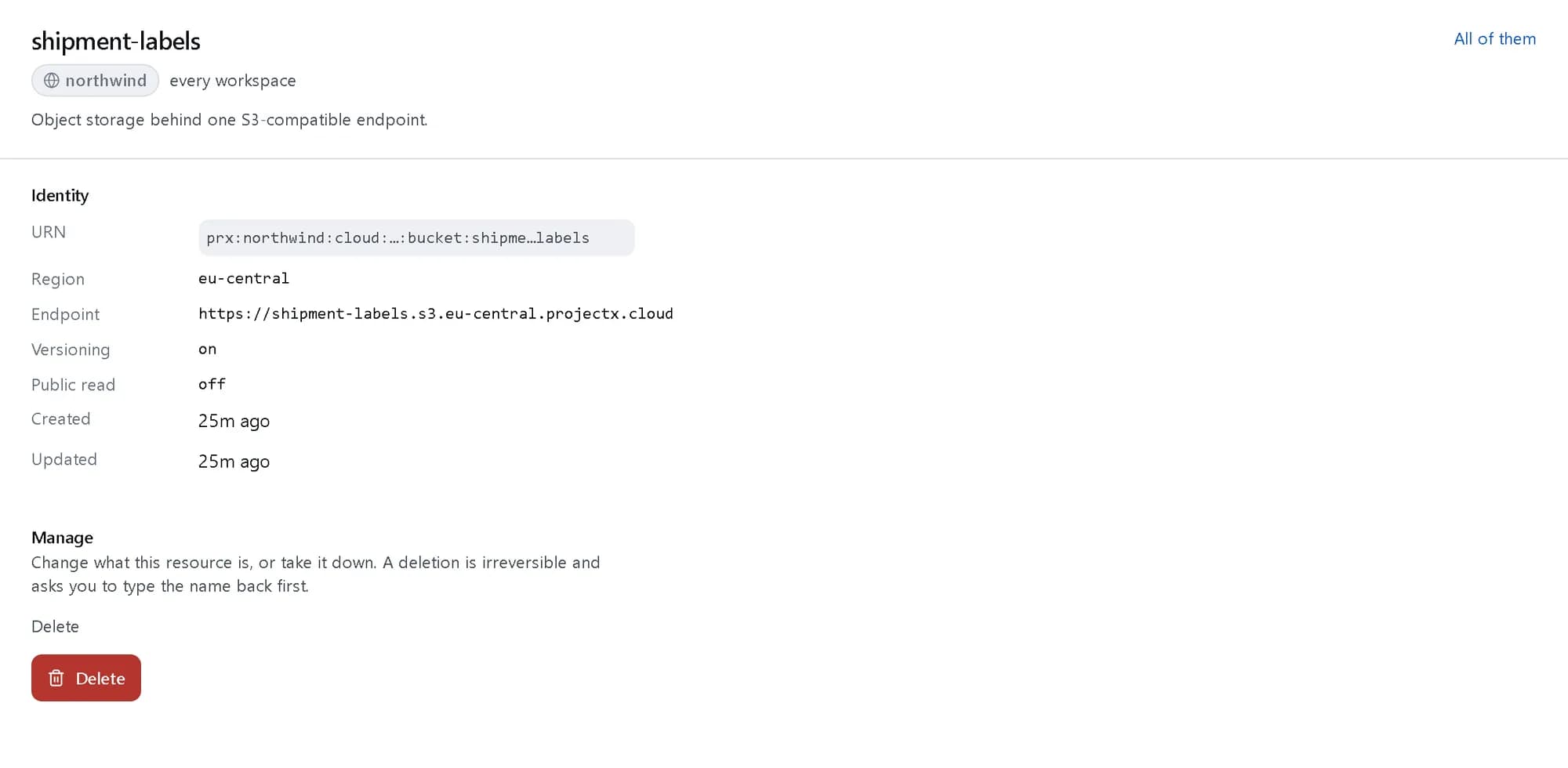
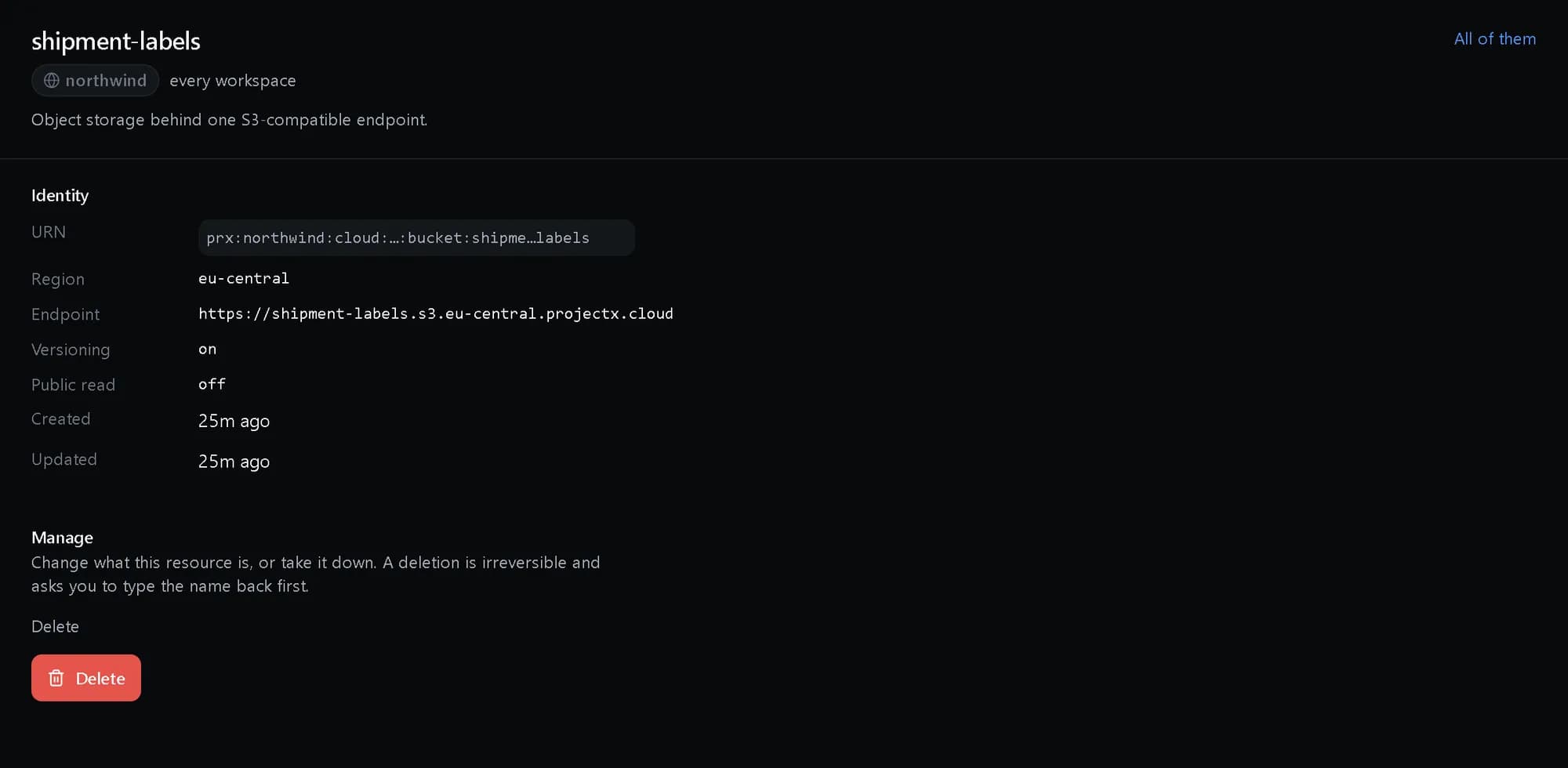
One bucket in detail
Its endpoint, its versioning and whether anything is publicly readable — off unless you turn it on.
How it fits together
What happens between your request and a running resource.
Your S3 tools address one endpoint per bucket. A key scoped to one of your principals signs the request, and the platform checks it against your policy before the object is read or written on the capacity that holds the bucket.
- S3 SDKs and tools: unchanged (You)
- Presigned URL: for someone else (You)
- Bucket endpoint: one per bucket (The platform)
- Scoped keys: never wider than the owner (The platform)
- Object capacity: versioned, by region (Where it lives)
- S3 SDKs and tools to Bucket endpoint: S3 API
- Presigned URL to Bucket endpoint: time-limited
- Scoped keys to Bucket endpoint
- Bucket endpoint to Object capacity: read / write
Who it is for
The teams and situations this product was built for.
Application teams
You need durable object storage for uploads, assets and exports.
Versioned buckets with lifecycle rules behind an endpoint your stack already speaks.
Teams sharing large files
Customers or partners must upload or download without accounts.
Presigned URLs that expire and carry exactly the access you granted.
Data platforms
A landing zone for data that must not leak between tenants.
Per-tenant buckets whose names cannot even be probed from outside.
What it does
The core capabilities, live in the product today.
Bucket lifecycle
Create, configure and delete buckets as synchronous CRUD, with another tenant’s bucket answering the same 404 as one that does not exist, so a name cannot be probed.
Versioning and lifecycle rules are set on the bucket itself, so old versions expire by policy rather than by someone’s cleanup script. Buckets are per tenant — from the outside, yours are indistinguishable from ones that do not exist.
Scoped access keys
Keys scoped to your platform principals rather than a provider account, addressing the bucket through its own endpoint and naming no upstream.
Issue a key to one of your principals and it can do exactly what that principal may do — no shared provider account behind it, no privilege it did not inherit. Rotate or revoke the key and the access ends with it.
Presigned URLs
Time-limited URLs for direct upload and download, inheriting exactly the grant of the key that signed them — a read-only key cannot presign a write.
Hand a customer or a partner a URL for one upload or one download, valid for exactly as long as you set. No account to create for them, no credential to claw back afterwards — the link expires and the access ends.
The ideas behind it
The words this page uses, explained once.
- S3-compatible endpoint
- The address your SDKs, CLIs and backup tools already know how to talk to. It names your region, not the provider underneath.
- Scoped access key
- A key issued to one of your own principals, so it can do exactly what that principal may do. Revoke the principal’s access and the key loses it too.
- Presigned URL
- A link for one upload or download that expires when you say. It carries the grant of the key that signed it and no more — a read-only key cannot presign a write.
- Versioning and lifecycle rules
- Keep every version of an object, and let rules expire old versions or move them to a colder tier on a schedule rather than by hand.
In depth
The detail an evaluation asks for.
Security model
Keys belong to your principals, so access is governed by the same policy engine as everything else. Public read is off by default, CORS and bucket policy are set on the bucket, and a bucket name in another tenant cannot be discovered.
Durability and cost
Versioning keeps old copies; lifecycle rules decide how long. Replication to a second provider and an archive tier with retrieval times are there when one copy in one place is not enough.
Sharing and sites
Hand out presigned links instead of accounts, and serve a static site straight from a bucket on its own website address.
How it works
- Console
Create a bucket
Buckets with versioning and lifecycle rules, created as one synchronous call.
- Console
Scope the keys
Access keys belong to your own principals, so a key does exactly what its owner may — nothing more.
- S3 API
Point your tools at one endpoint
Your SDKs, CLIs and backup tools already speak S3 — the unified endpoint names no provider.
- API
Share safely
Presigned URLs give time-limited upload and download, with exactly the power of the key that signed them.
In code
The same task in the CLI and both SDKs. Every call shown exists in the API.
prx CLI
Create a bucket and share one file for an hour
prx cloud bucket create --body '{"name":"shipment-labels","region":"eu-central","versioning":true}'prx cloud bucket access-keys-post shipment-labels --body '{"name":"label-reader","principal":"prx:northwind:iam:_:service_account:label-printer","permission":"read-only"}'prx cloud object presign shipment-labels label-reader --body '{"object_key":"2026/11/label-4471.pdf","method":"GET","expires_in_seconds":3600}'TypeScript SDK
Create a bucket and share one file for an hour
await client.cloud.bucket.create({ name: 'shipment-labels', region: 'eu-central', versioning: true });await client.cloud.bucket.accessKeysPost('shipment-labels', { name: 'label-reader', principal: 'prx:northwind:iam:_:service_account:label-printer', permission: 'read-only' });const { url } = await client.cloud.object.presign('shipment-labels', 'label-reader', { object_key: '2026/11/label-4471.pdf', method: 'GET', expires_in_seconds: 3600 });Python SDK
Create a bucket and share one file for an hour
client.cloud.bucket.create({"name": "shipment-labels", "region": "eu-central", "versioning": True})client.cloud.bucket.access_keys_post("shipment-labels", {"name": "label-reader", "principal": "prx:northwind:iam:_:service_account:label-printer", "permission": "read-only"})url = client.cloud.object.presign("shipment-labels", "label-reader", {"object_key": "2026/11/label-4471.pdf", "method": "GET", "expires_in_seconds": 3600})["url"]The difference
The way this job usually goes, and the way it goes here.
The usual way
With ProjectX
A provider account key that can do everything, shared by the whole team.
Keys scoped to your own principals — a key never exceeds its owner.
Sharing a file means making the bucket public or handing out credentials.
A presigned URL, time-limited, carrying exactly the grant of the key that signed it.
Anyone can probe bucket names and map what you store.
Another tenant’s bucket answers the same 404 as one that does not exist.
Works with your tools
Every surface below drives the same product — script it, click it, or hand it to your existing tooling.
- S3 API
- S3-compatible tools
- TypeScript SDK
- Python SDK
- Console
Questions, answered
Is it really S3-compatible?
Yes — buckets sit behind a unified endpoint your S3 SDKs and tools already speak, with versioning and lifecycle rules on the bucket.
Who can access a bucket?
Only keys scoped to your own principals. A presigned URL inherits exactly the grant of the key that signed it, for exactly as long as you set.
Can another customer see my buckets?
No. A bucket that is not yours answers the same 404 as a bucket that does not exist, so names cannot be enumerated.
How is it billed?
By the gigabyte stored at the published rate, on the one monthly invoice. The rate card is on the pricing page.
Products it works with
Same platform, same console, same invoice.
Start with ProjectX today.
Create a company in minutes and add this product to your invoice at the published rate.