Video Search & Alerts
Search every camera in a sentence, and hear about it next time.
Type what you are looking for in plain English. The platform reads it into objects, colours, places and times, searches only the footage your role may see, and shows why each result matched. Save the search, schedule it, or turn it into a standing alert that pages the right channel.
The advantages
The outcomes this product is built around.
No categories to learn
Free text, not a menu of preset classes. The sentence is read into what, where and when, and the read is shown to you.
Results you can check
Each result says which attributes matched, its score and the detections behind it. Anything policy kept out of the search is disclosed, not silently dropped.
Any search becomes an alert
Save a search and it can become a standing rule that notifies the console, email, SMS, push or a webhook when it matches again.
Every search is on the record
Each operator’s searches are kept with their scope and result count, and archive searches beyond a set window ask for a purpose first.
- to first results over 30 days and 500 cameras, p95
- < 5 s
- from a live event to the notification, p95
- < 5 s
- precision at 10 on the standard query set, with recall of 0.7
- 0.8
See it in the console
Real screens from the product, not mock-ups.
From a sentence to a result
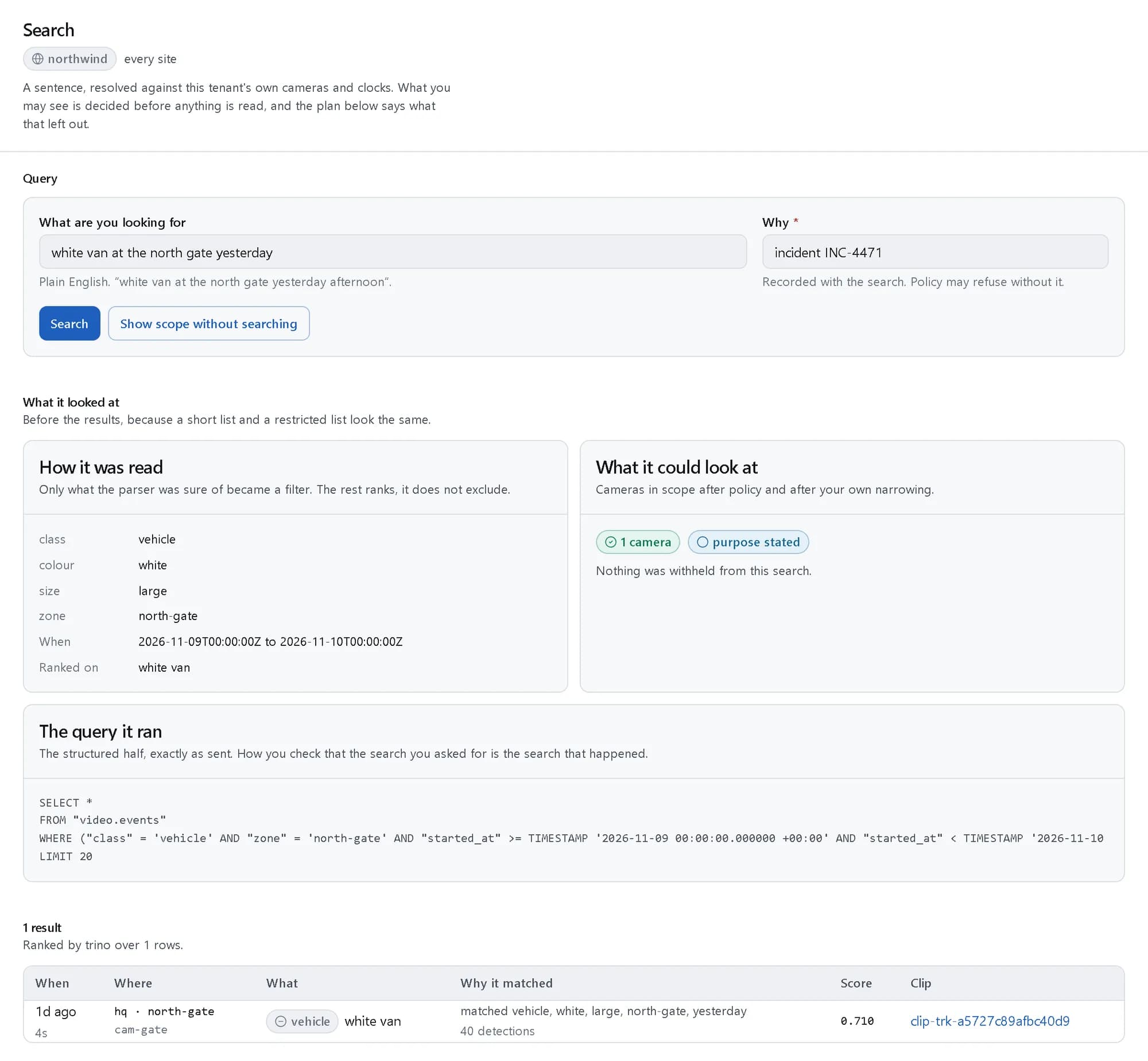
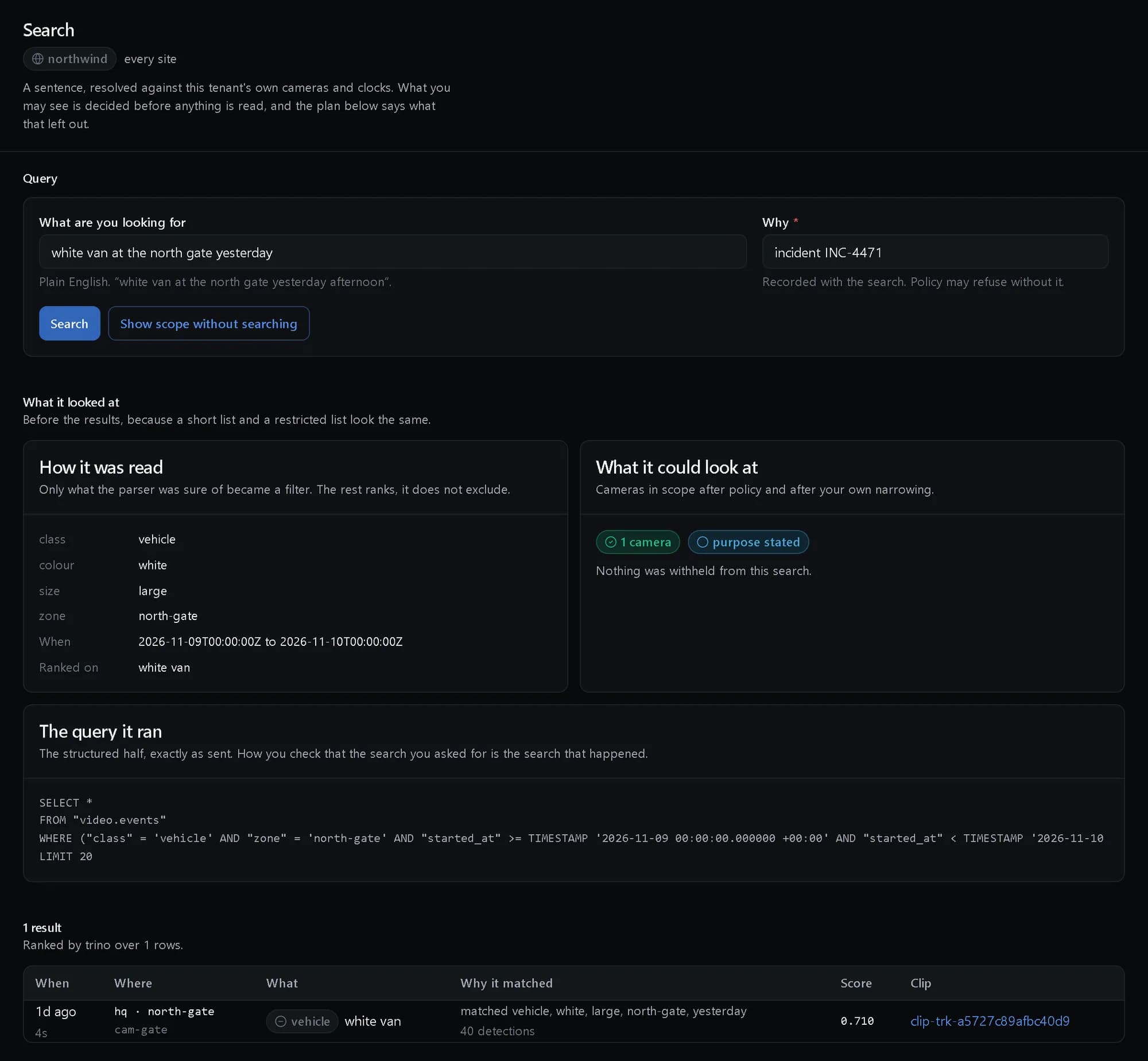
A search typed with its purpose, read into filters and answered with the reason it matched.
How it was read
The understood filters, the cameras in scope after policy, and the query that ran.
Standing rules
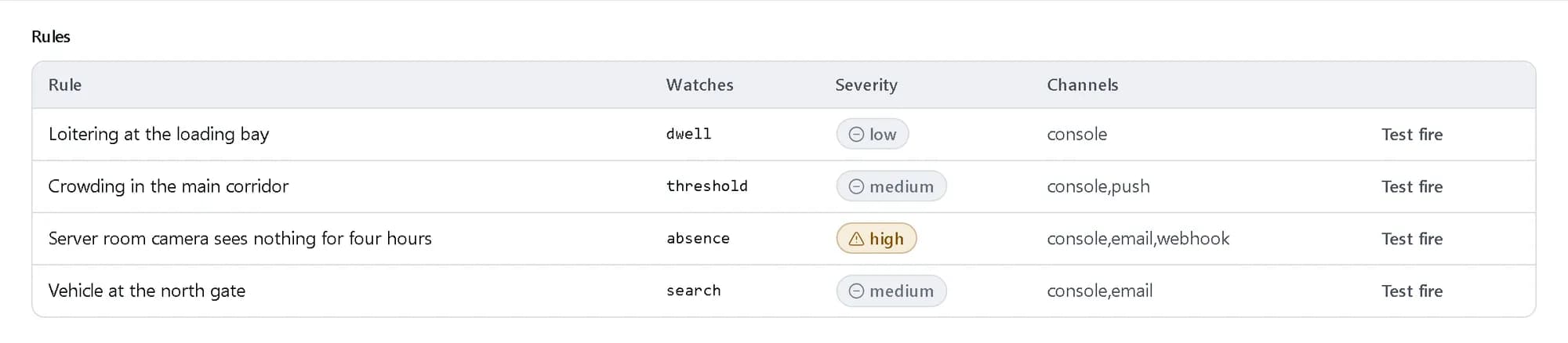
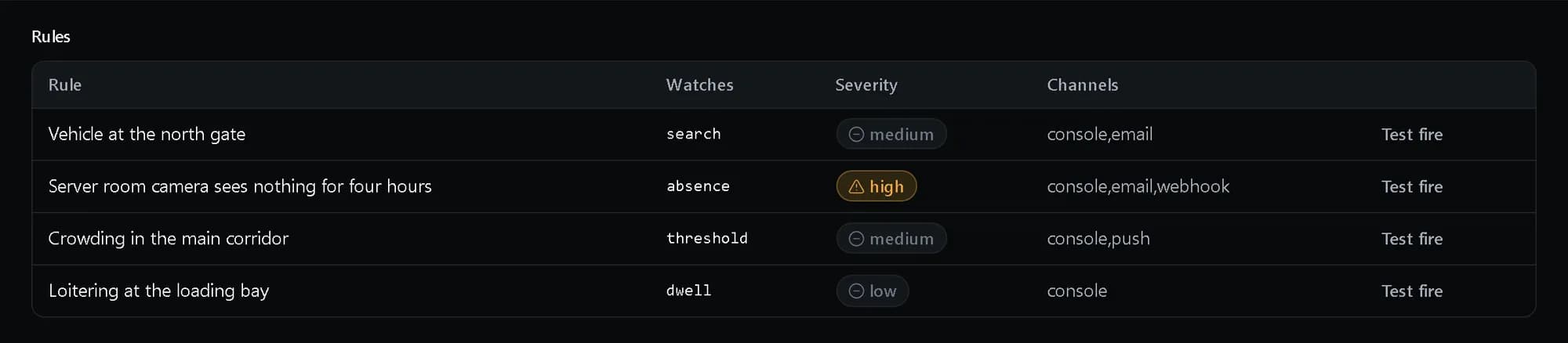
Absence, threshold, search and dwell rules, each with its severity and channels.
How it fits together
What happens between your request and a running resource.
A sentence from the console or the API is read into filters and ranking terms. Policy decides which cameras and hours are in scope before anything is read. Retrieval then runs over the events the cameras produced, and a saved search can stand as an alert rule that notifies your channels.
- A sentence: console · API · SDK (You)
- Your channels: console · email · webhook (You)
- Query understanding: filters · ranking (The platform)
- Scope after policy: cameras · zones · hours (The platform)
- Hybrid retrieval: events · embeddings · OCR (The platform)
- Alert rules: from saved searches (The platform)
- Cameras: detections and events (Your cameras)
- A sentence to Query understanding
- Query understanding to Scope after policy
- Scope after policy to Hybrid retrieval
- Cameras to Hybrid retrieval: events
- Cameras to Alert rules: live
- Alert rules to Your channels: notifies
Who it is for
The teams and situations this product was built for.
Security operations
Find the one vehicle or person in a day of footage from many cameras.
A sentence in, occurrences out, each with the clip and the reason it matched.
Site and facility managers
Know about loitering, crowding or a camera that has gone quiet without watching screens.
Dwell, threshold and absence rules that page the right channel, test-fired before they go live.
Logistics yards and gates
Spot vehicles at the gate and line them up with the badge and delivery records.
Search rules on the gate cameras, and search filters that join access and HR data.
What it does
The core capabilities, live in the product today.
Natural-language search over the archive
Free-text queries understood into entities, attributes and constraints, answered by hybrid retrieval and reranking.
Only what the parser is sure of becomes a filter; the rest ranks results rather than excluding them. Dense embeddings, structured predicates and OCR are combined, a vision-language model reranks the candidates, and frames are grouped into occurrences so ten frames of one van are one result.
Search by example, and follow a track
Use an image or a selected detection as the query, find similar sightings across a site, and follow a track across cameras and time.
Upload a picture or pick a detection from a result and the search looks for the same thing elsewhere in the estate. Track-and-follow carries a subject from one camera to the next.
Compound, timed and scoped queries
AND, OR, NOT and within-N-minutes-of; absolute, relative and recurring time; camera, group, zone and site scope; a confidence threshold.
Combine conditions into one query, narrow it to the cameras and hours that matter, and set how sure a match must be. Filters can join identity, access and HR data, so “a person at the server room door with no badge swipe” is one question.
Standing alerts of every kind
Rules from any saved search, plus zone and line, threshold, dwell, absence and learned-baseline anomaly rules, scheduled by hour, day, holiday and site hours.
A rule watches the fleet continuously with the same grammar as search. Live search runs that grammar against live streams, and schedules keep a rule quiet outside the hours it matters.
Notification fan-out and escalation
Console, push, email, SMS, webhook, Slack, Teams, PagerDuty, SNMP and PA or radio, with escalation chains and on-call rotation.
Severity is on the platform-wide scale, so a video alert ranks alongside alerts from every other product. An unacknowledged alert escalates along its chain, and a test fire checks every channel without paging anyone for real.
Fewer false alarms
Baselines, cooldowns and cross-camera de-duplication, operator feedback that retunes thresholds within a day, and analytics on precision and noisy cameras.
Every alert can be acknowledged, assigned and resolved, and marking one false feeds back into its rule. Analytics rank cameras by noise and report volume, precision and response time.
The ideas behind it
The words this page uses, explained once.
- Occurrence
- One thing that happened, such as a van arriving, rather than every frame it appears in. Results are occurrences, so one van is one result.
- Match explanation
- What each result is shown with: the attributes that matched, the score, and the detections that contributed. Read more: Match explanation
- Standing alert
- A saved search or a zone, count, dwell or absence rule that keeps watching and notifies its channels when it matches.
- Purpose
- The reason recorded with an archive search. Beyond a configurable window, policy can refuse a search that does not give one.
In depth
The detail an evaluation asks for.
Policy before search
Access is scoped by camera, group and zone and can be limited to shift hours. Scope is decided before any footage is read, and the result says what it left out.
Where the footage stays
Clips are kept in an encrypted, segmented store. Footage never passes through the control plane, and playback is a signed grant that expires.
Tuning, not muting
Baselines, cooldowns and cross-camera de-duplication suppress repeats, and operator feedback retunes a rule’s thresholds within 24 hours.
How it works
- Console
Ask in a sentence
Type what you are looking for and, for an archive search, why.
- Console
Check how it was read
See the filters it understood, the cameras in scope after policy and the query that ran.
- API
Save it
Name the search, share it with the team and schedule it hourly, daily or weekly.
- Console
Make it an alert
Turn it into a standing rule, choose the channels and test-fire it before it goes live.
In code
The same task in the CLI and both SDKs. Every call shown exists in the API.
prx CLI
Search the archive, save the search and turn it into a test-fired alert
prx video fleet search --body '{"query":"white van at the north gate yesterday","purpose":"incident INC-4471"}'prx video fleet create-saved-searches --body '{"name":"White van at the north gate","query":"white van at the north gate","shared":true,"schedule":"daily"}'prx video fleet create-alert-rules --body '{"name":"Vehicle at the north gate","kind":"search","query":"vehicle at the north gate","severity":"medium","channels":["console","email"]}'prx video fleet test-fire "$RULE"TypeScript SDK
Search the archive, save the search and turn it into a test-fired alert
const { results } = await client.video.fleet.search({ query: 'white van at the north gate yesterday', purpose: 'incident INC-4471' });await client.video.fleet.createSavedSearches({ name: 'White van at the north gate', query: 'white van at the north gate', shared: true, schedule: 'daily' });const rule = await client.video.fleet.createAlertRules({ name: 'Vehicle at the north gate', kind: 'search', query: 'vehicle at the north gate', severity: 'medium', channels: ['console', 'email'] });const { dispatches } = await client.video.fleet.testFire(rule.rule_id);Python SDK
Search the archive, save the search and turn it into a test-fired alert
results = client.video.fleet.search({"query": "white van at the north gate yesterday", "purpose": "incident INC-4471"})["results"]client.video.fleet.create_saved_searches({"name": "White van at the north gate", "query": "white van at the north gate", "shared": True, "schedule": "daily"})rule = client.video.fleet.create_alert_rules({"name": "Vehicle at the north gate", "kind": "search", "query": "vehicle at the north gate", "severity": "medium", "channels": ["console", "email"]})dispatches = client.video.fleet.test_fire(rule["rule_id"])["dispatches"]The difference
The way this job usually goes, and the way it goes here.
The usual way
With ProjectX
Scrub through hours of footage camera by camera.
One sentence across the cameras you may see, with occurrences rather than frames.
A result list you have to take on trust.
Each result says what matched, and what policy excluded is disclosed.
Alert rules set up in a separate tool from search.
Any saved search becomes a standing alert, test-fired before it pages anyone.
Works with your tools
Every surface below drives the same product — script it, click it, or hand it to your existing tooling.
- Investigator console
- API
- prx CLI
- TypeScript SDK
- Python SDK
- Slack, Teams, PagerDuty and webhooks
Questions, answered
Do we have to define object classes first?
No. Search is free text with no preset categories. The sentence is read into objects, attributes, places and times, and the read is shown with the results.
Can it search live streams as well as recordings?
Yes. Live search uses the same grammar against live streams, and any saved search can become a standing alert.
What can an operator see?
Only the cameras, groups and zones their role covers, in the hours they are allowed. Results are filtered by those entitlements and the exclusions are disclosed.
How fast is it?
An archive search over 30 days and 500 cameras returns its first results in under 5 seconds at p95, and an alert reaches its channels within 5 seconds of the live event at p95.
How is it priced?
Video is billed per camera-hour of footage processed, at a published rate in Platform Credits. The rate is on the pricing page.
Products it works with
Same platform, same console, same invoice.
Start with ProjectX today.
Create a company in minutes and add this product to your invoice at the published rate.